
Fruit Catcher Apple
Play Count0
Published2025-09-11
Supported DevicesPC
CategoryArcade & Classic
Rating★★★★★5.0Rate this game
📝Fruit Catcher Apple Overview
Apples are raining from the sky and your basket is the only thing standing between them and a sticky mess. Slide left, slide right, catch 'em all.
💬What is Fruit Catcher Apple?
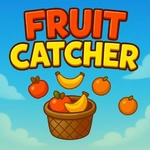
I'll be honest — I clicked on fruit catcher apple expecting a five-minute time-waster, then found myself forty minutes deep with a cramp in my mouse hand. The setup is brain-dead simple: fruit drops from the top, you slide a basket along the bottom, and whatever lands inside counts. Apples are the main event, but there are also bananas, oranges, and the occasional bomb that'll end your run if you're too greedy. The mouse controls are buttery smooth; on my phone, swiping worked just as well, though I fat-fingered a few catches. That's on me, not the game.
What keeps me coming back is the tension. When the screen fills with falling fruit, you have to pick a line — do I chase the big cluster on the left or stay safe under the slower apple dead center? I've lost more runs than I care to admit by lunging for a strawberry in the corner only to let three apples splat behind me. The sound effects are satisfying, a little 'thunk' when you catch and a nasty squish when you don't. It's the kind of feedback that makes you wince just slightly.
Honestly, it's not reinventing the genre. But it doesn't need to. It's tight, responsive, and just hard enough to make you want one more round. If you need a quick arcade fix during a break, this does the job without any fluff.
👥How to Play Fruit Catcher Apple
Keyboard (Desktop):
Move Left → Arrow Left
Move Right → Arrow Right
Mouse (Desktop):
move mouse left and right to move the basket
Touch (Mobile):
swipe left/right to move the basket
✨Game Tips
Keep the basket moving in small nudges rather than wild swipes — precision beats panic.
Bombs look like red apples with fuses; memorize their shape so you don't reflexively catch one.
Focus on the center lanes early when fruit is sparse, then expand only as the pace picks up.
On mobile, use short quick swipes instead of dragging across the whole screen.
If a golden apple appears, drop everything and go for it — those are worth big points.
Don't chase fruit that's already below the halfway line unless you're already underneath it.
🔧FAQ
Q: Is Fruit Catcher Apple free to play?
A: Yes, it's completely free in your browser with no hidden fees.
Q: Can I play Fruit Catcher Apple on my phone?
A: Absolutely. Touch controls work great — swipe left or right to move the basket.
Q: Do I need to download or install anything?
A: No downloads needed. It runs directly in your web browser as an HTML5 game.
Q: What happens if I catch a bomb?
A: Your run ends instantly, so keep an eye out for the fuse.
Q: Are there keyboard controls?
A: Yes, use the left and right arrow keys on desktop to move the basket.
Q: Can I pause the game?
A: Usually you can pause by clicking outside the game area or pressing Esc, but it may vary.