
Fruits Coloring
Play Count0
Published2022-04-14
Supported DevicesPC + Mobile
CategoryArcade & Classic
Rating★★★★★5.0Rate this game
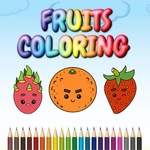
📝Fruits Coloring Overview
Grab a digital paintbrush and splash every fruit on screen with colors that don't exist in nature — your only limit is how weird you want to get.
💬What is Fruits Coloring?
Fruits Coloring keeps things wonderfully simple. You get a page full of fruit outlines — apples, bananas, grapes, maybe a pineapple if you're lucky — and a palette of colors along the side. Tap or click a shade, then tap the section you want to fill. That's it. No timers, no scores, no way to fail. I ended up spending way longer than I planned, mostly because I wanted to see if a purple banana would look as ridiculous as I imagined. (It does. In the best way.)
The controls are exactly what the instructions say: mouse or touchpad. Click a color, click a fruit segment, watch the area flood with solid color. The lines stay crisp so you don't accidentally bleed into the next section, which is more forgiving than the coloring books I grew up with. If you mess up, you can just pick another color and paint over it. I found that incredibly satisfying — no eraser shavings, no torn paper, just instant do-overs.
For a game with zero stakes, it's surprisingly relaxing. The fruit shapes are recognizable enough that you don't have to think, but open enough that you can make a watermelon striped like a tiger if that's your thing. Kids will enjoy the simplicity, but honestly, anyone who's ever absentmindedly colored in a meeting will get it. It's the kind of thing you leave open in a browser tab and circle back to when your brain needs a reset.
👥How to Play Fruits Coloring
Use mouse or touch pad to play this game.
✨Game Tips
Stick to light colors first if you plan to layer, since dark fills can look patchy when overpainted.
Click the same section twice with different colors as a quick way to experiment without starting over.
Use the white or very pale shade to 'erase' a section back to near-blank if you hate your first choice.
Zoom in if your browser allows; some fruit sections are small and easy to tap wrong.
Try a monochrome fruit — all greens or all blues — for a surprisingly modern look.
🔧FAQ
Q: Is Fruits Coloring free?
A: Yes, it's completely free with no hidden paywalls.
Q: Do I need to download Fruits Coloring?
A: No downloads. It runs in your browser using HTML5.
Q: Can I play Fruits Coloring on mobile?
A: Yes, touchscreen works perfectly. Just tap colors and sections.
Q: What age is Fruits Coloring suitable for?
A: Anyone who can click or tap. It's especially good for younger kids.
Q: Does Fruits Coloring have any timers or scores?
A: No timers or scores, so you can color at your own pace.
Q: Can I save or print my finished fruit picture?
A: The game doesn't include a save or print feature; you can screenshot the page instead.