
Funny Bunnies Coloring
Play Count0
Published2020-08-27
Supported DevicesPC
CategoryArcade & Classic
Rating★★★★★5.0Rate this game
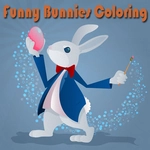
📝Funny Bunnies Coloring Overview
Grab your virtual crayons and turn a bunch of goofy rabbits into rainbow masterpieces—no mess, just pure coloring fun.
💬What is Funny Bunnies Coloring?
There's something weirdly satisfying about clicking a blank bunny outline and watching it fill with color. Funny Bunnies Coloring keeps things simple: pick a picture, choose a hue from the palette, and tap any section to paint it. The bunnies themselves are goofy—ears flopped in different directions, big buck teeth, the occasional top hat—so the whole thing feels more like a doodle pad than a serious art tool. I spent a solid ten minutes just giving one rabbit a hot pink nose and lime green ears, and honestly? No regrets.
The controls are as basic as it gets. Mouse on desktop, finger on a touchscreen. There's no timer, no score, no way to lose. If you misclick and splash orange into the sky where you wanted blue, just pick the right color and click again—it overwrites instantly. That's the whole appeal. You're not trying to beat a level or unlock anything; you're just making silly bunnies look ridiculous, which is exactly the kind of low-stakes fun that fits a five-minute break between classes.
What surprised me is how calming it becomes once you get into a rhythm. The palette has enough range to create proper Easter vibes—pastel pinks, soft yellows, robin's egg blue—but you can also go full neon if you're feeling chaotic. Kids will love the cute animals, and older players might find it scratches that same itch as a stress-relief coloring book. It loads fast, works offline once cached, and doesn't ask for any permissions. For a free browser game, that's a pretty decent deal.
👥How to Play Funny Bunnies Coloring
Use your mouse to play the game or tap on the screen.
✨Game Tips
Use warm colors on the bunnies' cheeks to make them pop against cool backgrounds.
Click the same spot twice if the color doesn't fill the whole area right away—some patches need a second tap.
Start with lighter shades first, then go darker; darker colors cover mistakes without muddying the picture.
If sections feel tiny on mobile, zoom your browser page in for easier tapping.
Pick one bunny per picture to make the 'star' with bright, clashing colors for a fun contrast.
No undo button, so pause for a second before tapping tiny details like eyes or whiskers.
🔧FAQ
Q: Is Funny Bunnies Coloring free to play?
A: Yes, it's completely free in your browser with no hidden paywalls or subscriptions.
Q: Do I need to download or install anything?
A: No downloads needed. It runs directly in your web browser as an HTML5 game.
Q: Can I play Funny Bunnies Coloring on my phone?
A: Yes, the game works on mobile browsers and responds to taps just like mouse clicks.
Q: Does it work on a school Chromebook?
A: Definitely. Since it's unblocked and browser-based, it runs fine on most school devices.
Q: Is there a timer or score in this coloring game?
A: No timer or score. You can relax and color at your own pace without any pressure.
Q: Can I save or print my finished bunny picture?
A: The game itself may not have a save button, but you can screenshot your art at any time.