
Funny Obbys
Play Count0
Published2024-05-03
Supported DevicesPC + Mobile
CategoryAction & Fighting
Rating★★★★★5.0Rate this game
📝Funny Obbys Overview
Grab a buddy and hit wobbly obstacle courses where wall-jumping is the only way forward—one wrong bounce sends you flying.
💬What is Funny Obbys?
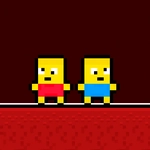
You know those co-op games where everything is intentionally a little broken? Funny Obbys leans into that hard. You'll run, jump, and wall-cling through a series of obstacle courses that look simple until you miss a ledge by a pixel. The first time I tried to chain three wall jumps in a row, I overshot the last one and watched my little blocky guy fall into the void—my friend was wheezing.
Controls are tight enough that every death feels fair, but loose enough that you'll blame your partner. The level design keeps things fresh: keys placed on moving platforms, doors that need both players to reach, and narrow corridors that punish double jumps. Mobile touch controls work surprisingly well, but the real chaos happens when two people share a keyboard—one on WASD, the other on arrows (or however it's set up).
What makes Funny Obbys stick isn't that it's hard—it's that it's funny. The physics have just enough jank to make failures entertaining. The visual style is bright and blocky, like a playset that got dropped in a bounce house. If you're looking for a serious platformer, look elsewhere. If you want a game where you and a friend will be yelling 'no, jump NOW' at each other for an hour, this is it.
👥How to Play Funny Obbys
*Use WASD Keys to move.
*Press the W key multiple times to jump from wall to wall.
*Mobile play is available.
*There is a button to change the player.
*Collect all the keys and open all the doors.
✨Game Tips
Master the double-tap wall jump: press W in rhythm to bounce back and forth between tight walls.
Switch characters often in single-player so you don't get stuck waiting for a ledge cycle.
In co-op, split up—one person grabs keys while the other heads straight for the door.
Use short hops instead of full jumps on moving platforms to keep your momentum controlled.
If you're on touch, turn on the character-switch button early so you can react faster.
🔧FAQ
Q: Is Funny Obbys free to play?
A: Yes, it's completely free in your browser. No paywalls or hidden fees.
Q: Can I play Funny Obbys on mobile?
A: Yes, touch controls are supported. Use the on-screen buttons to move and jump.
Q: Do I need to download anything to play Funny Obbys?
A: No downloads needed. It runs right in your web browser as an HTML5 game.
Q: Can two people play Funny Obbys on the same computer?
A: Yes, local co-op is supported. One player uses WASD, the other can use arrow keys or a second key set.
Q: What's the goal in Funny Obbys?
A: Collect all the keys in each level, then open all the doors to advance to the next obstacle course.
Q: Is there a single-player mode?
A: Yes, you can play solo and switch between characters to complete puzzles and reach keys.