
Fuzzle Stacker
Play Count0
Published2026-02-24
Supported DevicesPC + Mobile
CategoryArcade & Classic
Rating★★★★★5.0Rate this game
📝Fuzzle Stacker Overview
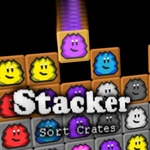
Stack glowing fuzzle blocks into a dangerously wobbly tower and pray the whole fuzzy mess doesn't come crashing down on your head.
💬What is Fuzzle Stacker?
Fuzzle Stacker doesn't mess around. You've got a vertical playfield and a steady stream of fuzzy blocks dropping in — each one with its own weird shape and weight. Your job is to stack them as high as you can without the tower leaning too far to one side. The catch? The physics are properly wonky. A block that looks stable will suddenly shift after you've already placed the next one. I lost count of how many times I thought I had a perfect run going, only to watch a single misplaced cube tip the entire structure into a slow-motion pile of fuzz.
What kept me coming back wasn't just the challenge, though. There's a weirdly satisfying rhythm to it. You click or tap to lock a block in place, then use the arrow keys or WASD to nudge the falling piece left or right before it lands. The enter or space key can speed things up when you're feeling cocky. That's where the real game lives — in those half-second decisions when you decide whether to play it safe or go for a risky overhang to save space. The stack sways, the blocks wobble, and the sound (if you've got it on) adds this nice little crunch every time a piece locks in.
If you like Tetris but hate the time pressure, or you're into physics puzzles that don't hold your hand, Fuzzle Stacker hits that sweet spot. It's simple enough to pick up between classes, but the later heights get genuinely tense. Don't expect any tutorials or hand-holding — just you, a pile of fuzzy blocks, and gravity doing its best to humble you.
👥How to Play Fuzzle Stacker
Mouse click or tap to play,
WASD or arrow keys, and enter or space key.
✨Game Tips
Use the arrow keys or WASD to nudge a falling block before committing — small adjustments stop big lean.
Keep your center of gravity over the base; if the top drifts past the edge, you're already doomed.
Don't rush when a heavy block drops. Wait for it to settle before placing the next one.
Tap space or enter to drop pieces faster only if you've built a stable base.
Watch how a block lands, not just where it lands — rotation shifts can tilt the whole stack.
Aim for flat surfaces when possible; overhangs look cool but they love to tip.
🔧FAQ
Q: Is Fuzzle Stacker free to play?
A: Yes, Fuzzle Stacker is completely free in your browser with no hidden paywalls or download requirements.
Q: Can I play Fuzzle Stacker on mobile?
A: Yes, the game supports touch controls, so you can tap and drag blocks on a phone or tablet.
Q: Do I need to download or install Fuzzle Stacker?
A: No download needed. It runs directly in a modern web browser using HTML5.
Q: What are the controls for Fuzzle Stacker?
A: Use mouse click or tap to place blocks, WASD or arrow keys to move, and enter or space to speed up.
Q: Is Fuzzle Stacker unblocked at school?
A: It's an unblocked browser game, so it usually works on school or work networks without extra steps.
Q: Does Fuzzle Stacker work offline?
A: You need an internet connection to load the game, but once loaded there's no extra data use.