
FZ Unlock Blox
Play Count0
Published2019-10-25
Supported DevicesPC + Mobile
CategoryPuzzle & Thinking
Rating★★★★★5.0Rate this game
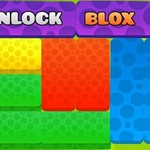
📝FZ Unlock Blox Overview
Slide, swap, and unlock your way through a maddening maze of blocks—every puzzle feels easy until you actually try it.
💬What is FZ Unlock Blox?
You drag blocks left, right, up, down—basic stuff, right? Then you hit level 7 and suddenly every move feels like a trap. I spent a good five minutes staring at a red block that just wouldn't budge, convinced the game was broken. It wasn't. I was just overthinking it. That's what FZ Unlock Blox does: it lulls you in with simple sliding, then quietly turns your brain into a pretzel.
The core loop is deceptively clean. Each level gives you a grid packed with blocks of different sizes, and one special block that needs to escape through a gap in the wall. You can only slide blocks along their long axis, so a horizontal block can't move up or down. That one rule creates all the friction. I kept finding myself moving the same three blocks back and forth, sure I was close, then realizing I'd trapped myself two moves earlier. The reset button becomes your best friend, but the satisfaction when the path finally clears is weirdly addictive.
It's not flashy, but it doesn't need to be. The puzzles ramp up at a fair pace—early levels teach you the mechanics, later ones demand real planning. No timer, no score, no pressure. Just you, a grid, and a stubborn block that refuses to leave. If you like sliding puzzles or logic games that don't waste your time, this one's a solid pick. A few levels made me genuinely proud when I solved them, and that's rare for a browser game.
👥How to Play FZ Unlock Blox
Mouse or Touch
✨Game Tips
Clear the shortest path first, not the most obvious one—long routes often dead-end.
Try sliding the largest block early; freeing up a big space changes the whole board.
If you're stuck, undo a few moves instead of restarting the whole level.
Pay attention to which way each block can slide before you move anything.
The red block's exit is always reachable—if it seems blocked, rethink your last three moves.
🔧FAQ
Q: Is FZ Unlock Blox free?
A: Yes, it's completely free to play in your browser.
Q: Can I play FZ Unlock Blox on mobile?
A: Yes, it works on phones and tablets with touch controls.
Q: Do I need to download anything?
A: No downloads or installs required, just open and play.
Q: Is FZ Unlock Blox unblocked at school?
A: It's designed to run on unblocked game sites, so usually yes.
Q: How many levels does FZ Unlock Blox have?
A: The game includes a generous set of levels, and difficulty increases gradually.
Q: What if I get stuck on a puzzle?
A: Use the reset button or try moving a different block first—most puzzles have multiple solutions.