
Galaxy Brick Breaker
Play Count0
Published2025-06-09
Supported DevicesPC
CategoryArcade & Classic
Rating★★★★★5.0Rate this game
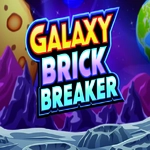
📝Galaxy Brick Breaker Overview
Smash through neon-brick constellations and keep your ball in play — this is arcade action with a cosmic twist.
💬What is Galaxy Brick Breaker?
I've burned through more brick breakers than I care to admit, but this one kept me at my desk because the space theme actually changes how you read the board. Instead of flat rows, bricks drift in star-cluster patterns and some of them shimmer like distant nebulas — you get zero time to admire them because the ball is already ricocheting off a corner you didn't predict.
The mouse control feels tighter than keyboard versions. You drag the paddle at the bottom of the screen, and the ball responds to the angle of impact, not just a simple bounce. There's a moment around level five where the ball speeds up after every ten bricks, and suddenly you're making micro-adjustments just to keep it from slipping past. I caught myself holding my breath when the ball hugged the side wall, popped three bricks in a row, and then shot back toward the paddle at an angle that only a perfect wrist flick could save. That's the loop — tense, twitchy, and weirdly rewarding.
Power-ups fall from broken bricks, and they're not all helpful. A laser paddle upgrade might clear a column, but a cursed drift ball can send your trajectory into chaos. The sound design is minimal, mostly soft beeps and a low hum, so you can throw on your own playlist. It's not a long game, but the escalating ball speed and shifting brick layouts give it solid replay pull. If you like brick breakers with a sci-fi coat of paint and a bit more bite, this one's worth a session.
👥How to Play Galaxy Brick Breaker
Use Mouse to play the game.
✨Game Tips
Keep an eye on the ball's trajectory dots — they show where it's headed before it hits.
Prioritize breaking bricks on the edges to create wider openings for the ball to bounce into.
Catch falling power-ups but don't let the paddle drift too far from center.
When the ball speeds up, shrink your paddle movements and focus on the middle third of the screen.
If a level has moving brick patterns, time your shot for when they separate.
Use the walls to your advantage — a side bounce can hit bricks you can't reach straight on.
🔧FAQ
Q: Is Galaxy Brick Breaker free to play?
A: Yes, it's completely free in your browser with no hidden fees or paywalls.
Q: Do I need to download anything to play Galaxy Brick Breaker?
A: No download needed. It runs directly in your web browser as an HTML5 game.
Q: Can I play Galaxy Brick Breaker on mobile?
A: Yes, but mouse control is more precise. On touchscreens you drag your finger to move the paddle.
Q: What are the controls for Galaxy Brick Breaker?
A: You only need your mouse. Move it left or right to position the paddle and bounce the ball.
Q: Why does the ball get faster over time?
A: The game increases ball speed as you clear more bricks, making each level progressively harder.
Q: Are there extra lives in Galaxy Brick Breaker?
A: Yes, some bricks drop life power-ups when you break them, and you start with a few lives.