
Galaxy Stors
Play Count0
Published2021-01-08
Supported DevicesPC + Mobile
CategoryAction & Fighting
Rating★★★★★5.0Rate this game
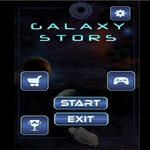
📝Galaxy Stors Overview
Blast through asteroid fields, dodge enemy planets, and fire your laser in this fast-twitch space action game.
💬What is Galaxy Stors?
Space shooters live and die by their controls, and Galaxy Stors nails the basics. You're steering a small planet through a hostile starfield, weaving around asteroids while lining up shots on enemies that drift in from every angle. The mouse gives you precise movement; the space bar fires your laser. It sounds simple, but the game layers on pressure quickly. Each run pushes you a little further, and the screen fills with hazards before you know it.
What surprised me is how the difficulty ramps without feeling unfair. Early on, you're tapping space to pop single targets. Then a cluster of enemy planets corners you near a spinning rock, and suddenly you're holding space for a charged shot while dragging your mouse in a tight arc. I died three runs in a row at that exact choke point before it clicked. One tip: don't sit still. Constant motion makes enemy patterns much easier to read.
Mobile players get touch controls that work better than expected—drag to drift your planet, tap the laser icon to shoot. It's a great time-killer when you have five minutes, but the "one more try" pull is real. No gimmicks, no overblown story, just clean arcade action. If you enjoy twitchy shooters that respect your reflexes, Galaxy Stors belongs on your lunch break rotation.
👥How to Play Galaxy Stors
If you are not on the PC:
Use the mouse to advance / space bar other than laser
If on mobile:
Use or touch the screen to advance the planets / touch the laser to shoot it.
✨Game Tips
Keep moving in a small circle; stationary planets attract enemy fire fast.
Hold the laser button to charge shots—bigger blast, better for clusters.
On mobile, drag near the bottom of the screen so your finger doesn't block incoming asteroids.
Prioritize enemies that drift closest to the screen edges; they're the ones that corner you.
Use the first few seconds to clear a path, don't sit and shoot single targets.
Pause briefly when the screen fills to spot the safest gap before moving.
🔧FAQ
Q: Is Galaxy Stors free to play?
A: Yes, it's completely free in your browser. No hidden payments or premium features.
Q: Can I play Galaxy Stors on my phone?
A: Yes, the mobile version uses touch controls. Tap or drag on the screen to move and fire the laser.
Q: Do I need to download or install anything?
A: No downloads needed. It runs directly in your browser as an HTML5 game.
Q: What are the controls for Galaxy Stors on PC?
A: Move with the mouse and press the space bar to fire your laser. Other keys don't do anything.
Q: Does Galaxy Stors work offline?
A: You need an internet connection to load the game, but after that it runs smoothly in your browser.
Q: Is Galaxy Stors suitable for kids?
A: It's family-friendly with no gore or violence beyond arcade shooting. Perfect for all ages.