
GBox Memory
Play Count0
Published2023-10-24
Supported DevicesPC + Mobile
CategoryPuzzle & Thinking
Rating★★★★★5.0Rate this game
📝GBox Memory Overview
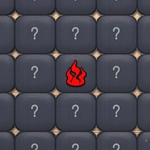
Think you can remember where that rocket is hiding? GBox Memory flips the tiles and dares you to clear every pair without a single slip-up.
💬What is GBox Memory?
I've lost count of how many times I clicked the wrong pair because I got cocky. GBox Memory looks easy—just a grid of face-down tiles—but the moment you flip three or four different icons in a row, your short-term memory starts doing cartwheels. You need to open two matching tiles back-to-back to clear them from the board. If they don't match, they flip right back, and you better remember exactly where that frog was sitting. The game's simplicity hides a sneaky learning curve: early levels feel like a warm-up, then the grid grows and the icons start repeating in subtle ways. I caught myself muttering 'blue star, left corner, blue star, left corner' like a mantra.
What I like is how it trains your spatial recall without any timers or lives hanging over you. You can take your time, but every wrong flip adds one more thing to track. The tiles are crisp and readable, which matters when you're scanning eight pairs of near-identical symbols. There's a quiet satisfaction when a pair vanishes—the little fade-out feels earned. If you're the type who rage-quits after forgetting a card in a real deck, this is a gentler way to build that mental muscle. The whole thing runs smoothly in a browser, no sign-up, no fuss. Just you against the board.
It might not have flashy power-ups, but that's exactly why I keep coming back—it's pure, honest memory work. And when you finally clear a full board without a single mistake, the sense of victory is surprisingly loud for such a quiet game.
👥How to Play GBox Memory
There is a field of tiles in front of you. Remember their locations. The players task is to open two identical tiles in succession. A correctly opened pair disappears. If two opened tiles in a row are different, they are flipped back. The game ends when a
✨Game Tips
Start by flipping corners and edges first; they're easier to anchor mentally.
Say each icon out loud as you reveal it—your auditory memory backs up your visual one.
If you get a match, clear it immediately before scanning other tiles.
On bigger grids, work in small zones rather than trying to remember everything at once.
Don't flip random tiles just to see what's there; only flip when you have a plan.
🔧FAQ
Q: Is GBox Memory free to play?
A: Yes, it's completely free in your browser with no hidden costs or in-app purchases.
Q: Can I play GBox Memory on my phone?
A: Sure, the game works on mobile browsers and uses simple tap controls.
Q: Do I need to download anything to start playing?
A: No downloads needed. Just open the site, click play, and the grid appears instantly.
Q: Is GBox Memory unblocked at school?
A: Most school networks allow it since it's a simple HTML5 puzzle game without violence.
Q: What happens if I flip two tiles that don't match?
A: They flip back face-down after a moment, so you need to remember where they were.
Q: Does GBox Memory save my progress between sessions?
A: Your best times and completed levels stay saved locally in your browser.