
Gem clicker
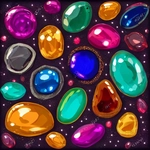
📝Gem clicker Overview
Click a gem, watch it burst into splinters and souls, then spend it all on upgrades that make the next gem shatter even faster — the loop is dangerously addictive.
💬What is Gem clicker?
I'll admit, I came into Gem Clicker expecting a mindless time-waster. What I got was a surprisingly tight little feedback loop that had me mashing my mouse longer than I care to admit. The premise is straightforward: a gem sits on screen, you click it, it breaks. Each break earns splinters and souls, which you then spend on upgrades that make the next gem break better, faster, or with more bonuses. What's sneaky is how the game layers in stone experience. Break a basic rock and you get pocket change. But sink time into higher-level stones and the stat boosts they offer can triple, quadruple, or go completely off the rails. That moment when a purple gem finally cracks and suddenly your splinter income jumps by 250%? Chef's kiss.
The upgrade system is where Gem Clicker earns its keep. Splinters and souls aren't just two currencies for the sake of it—they pull you in different directions. Splinters tend to handle the immediate, crunchy upgrades: click power, auto-break chance, that kind of thing. Souls feel more like the long game, unlocking permanent multipliers or rare stone types that don't show up until you've put in the work. I spent a good ten minutes debating whether to dump everything into a juicy soul upgrade or spread splinters across three smaller bumps. That's the kind of decision a clicker should force, and this one does it cleanly.
It's not going to dethrone your favorite idle giant, but for a browser tab that keeps your hand busy during a meeting (I won't tell), Gem Clicker delivers. The visuals are minimal but readable, the clicks feel satisfying, and there's always one more upgrade hovering just out of reach. If you like numbers going up and gems going poof, this is a solid pick.
👥How to Play Gem clicker
By clicking on the stones and breaking them, they gain experience. The higher the experience of the stones, the more enhancements they give to one or another parameter.
When you break a stone, it gives splinters and souls, which are needed to buy
✨Game Tips
Don't ignore low-level stones early; they build base splinter income for the first few soul upgrades.
Save souls for the permanent multipliers instead of wasting them on single-use boosts.
Click rhythm matters: steady rapid clicks can outpace button mashing once stone HP scales up.
Watch which parameter a stone boosts before breaking it—purple stones might favor souls, red ones raw click power.
Upgrade click damage before auto-break chance if you're actively playing; auto becomes better when you step away.
Early on, break every stone you see even if it feels slow; the experience bar on stones resets, so higher level stones multiply your gains later.
🔧FAQ
Q: Is Gem Clicker free to play?
A: Yes, it's completely free in your browser with no paywalls or forced downloads.
Q: Can I play Gem Clicker on my phone?
A: It works in mobile browsers, though clicking is more comfortable with a mouse or trackpad.
Q: Do I need to install anything to start playing?
A: No installs or plugins needed. Just open the page and the gem is waiting.
Q: Will my progress be saved after I close the tab?
A: Progress saves locally in your browser as long as you don't clear cookies or site data.
Q: Is there an idle/auto-click option later in the game?
A: Some upgrades unlock auto-breaking stone chances, so you can progress even when not actively clicking.
Q: Can I reset my progress or start over?
A: There's usually a hard reset option in the settings, but check the menu for confirmation.