
Gem Drop
Play Count0
Published2026-03-13
Supported DevicesPC + Mobile
CategoryFun & Crazy
Rating★★★★★5.0Rate this game
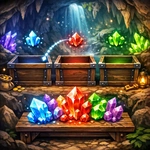
📝Gem Drop Overview
Slide left, slide right, drop, repeat—Gem Drop looks like a simple match-three, but one misplaced gem can bury you under the stack.
💬What is Gem Drop?
Gem Drop is the kind of game you open for two minutes and suddenly realize forty minutes have gone by. You control a single gem at the top of the screen, sliding it left or right along a rail. Release the button (or tap the screen on mobile) and it falls straight down onto the growing pile. The goal sounds simple: collect three gems of the same color to clear them and move to the next stage. But the pile doesn't wait, and every drop you make changes the shape of the stack for the next one.
What got me hooked was how fast the tension ratchets up. Early levels let you relax, dropping gems anywhere and watching trios pop. Then the stack starts climbing toward the top, and suddenly you're doing quick math: if I put this ruby here, will it set off the two below? What if I drop it on the left—no, that blocks the emerald I need next. I lost more runs than I can count because I got greedy, trying to set up a double clear instead of just surviving. There's no timer ticking down, but the stack itself is a silent countdown. When it reaches the drop line, you're done.
It's a hypercasual game in the purest sense: one button, one decision at a time, endless retries. The controls are responsive, the gem colors are bright enough to read at a glance, and the reset is instant. Perfect for a quick break between classes or a long stretch of ignoring homework.
👥How to Play Gem Drop
A/D or Left/Right or touch to move gem
SPACE or let go touch to drop gem
Collect 3 gems to progress
✨Game Tips
Clear from the bottom up whenever possible—low clears prevent dangerous towers.
Slide to the edge, then drop, to avoid accidentally stacking on a bump.
When the stack gets high, prioritize clearing any color you already have two of.
Play with sound off if you're in class; the drop thud is satisfying but loud.
Restart early if your first five drops create a messy base; it's quicker than clawing back.
🔧FAQ
Q: Is Gem Drop free to play?
A: Yes, it's completely free. No paywalls, no premium currency—just open and play.
Q: Can I play Gem Drop on mobile?
A: Absolutely. The touch controls work great on phones and tablets through your browser.
Q: Do I need to download anything?
A: No downloads. It runs in HTML5, so any modern browser handles it instantly.
Q: How do I control Gem Drop on a computer?
A: Use A/D or the left/right arrow keys to move, and press Space to drop the gem.
Q: Does Gem Drop support gamepads?
A: Not natively. Stick with keyboard or touch for the best experience.
Q: What if the stack reaches the top?
A: The run ends. You can restart immediately and try for a better score or further level.