
Gem Fusion
Play Count0
Published2024-09-11
Supported DevicesPC + Mobile
CategoryFun & Crazy
Rating★★★★★5.0Rate this game
📝Gem Fusion Overview
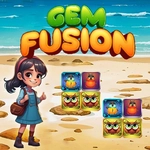
Drag gems into each other and watch them pop into bigger, shinier stones — one wrong move and the board locks up tight.
💬What is Gem Fusion?
You get a grid of colored gems, and the whole game is just dragging one gem onto an identical one to fuse them into the next size up. Sounds simple? It is, until you realize every fusion shifts the board and you've got two moves left with no matching pairs anywhere. I lost count of how many times I thought I'd cleared the board only to see a leftover ruby sitting between two emeralds with no way to merge anything.
The charm is in the chain reactions. Drop a big diamond onto its twin and sometimes the resulting gem auto-fuses with another one next to it, then another, and suddenly half the board explodes in a shower of sparkles. That moment keeps me clicking back. Controls are dead easy: mouse click and drag on PC, touch and drag on Android. No boosters, no timers, no lives — just you against the grid.
It's one of those games that feels like a snack. You tell yourself one more round, then you're three rounds deep trying to beat your high score. If you like merge puzzles but hate waiting for energy refills, this one respects your time.
👥How to Play Gem Fusion
How to play:
Android: Use On-Screen touch and drag
PC: Use Mouse Left Click and drag
✨Game Tips
Always scan the whole board before your first drag — once gems fuse, new gaps change every possible move.
Try to set up cascading fusions by placing a gem next to two matching ones at the same time.
Don't hoard low-level gems hoping for a perfect match; small merges open up space for better ones.
If you're stuck with no matching pairs, the round is over, so plan at least two moves ahead.
On PC, a quick flick of the mouse works better than a slow drag — the game reads release position fast.
Focus on clearing one corner first, then use the empty space to rearrange the rest.
🔧FAQ
Q: Is Gem Fusion free to play?
A: Yes, it's completely free with no hidden paywalls or forced ads.
Q: Can I play Gem Fusion on mobile?
A: Absolutely — use touch and drag on Android; it also works on iOS browsers.
Q: Do I need to download anything?
A: No downloads. Just open the game in any modern browser and start dragging.
Q: Does Gem Fusion need an internet connection?
A: Yes, since it runs online in your browser, but it loads fast.
Q: What if I get stuck with no more matching gems?
A: The game ends and you can restart instantly — no penalty or wait time.
Q: Is there a timer or limited moves?
A: No timer and no move limit; you play until no fusions are possible, then try for a higher score.