
Geometry Dash - Arcade
Play Count0
Published2021-05-28
Supported DevicesPC + Mobile
CategoryAction & Fighting
Rating★★★★★5.0Rate this game
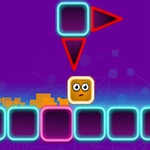
📝Geometry Dash - Arcade Overview
Jump, fly, and flip through neon obstacle courses synced to pulsing beats—how far can you survive without crashing?
💬What is Geometry Dash - Arcade?
Geometry Dash - Arcade wastes no time throwing you into a neon gauntlet where every jump, every gravity flip, every ship flight is timed to the beat. The premise is brutally simple: tap to jump, hold to keep flying, and don't touch anything that looks sharp or solid. But calling it simple after your tenth death on the same spike cluster is a joke. The game hums with momentum—each successful run feels like threading a needle at full speed.
I kept coming back to the level editor more than I expected. You can build your own nightmare corridors, place down blocks and spikes and portals, then upload the chaos for other players. Watching a friend slam into a trap you designed is weirdly satisfying. The customization runs deeper too: you unlock new icons and color schemes as you progress, so your cube starts to feel like yours. Whether you're flying a rocket through tight passages or flipping gravity upside down, the controls stay responsive and precise—one tap is all it takes, but timing is everything.
The soundtrack is the real MVP. Each level syncs its beats to the obstacles, so the music isn't just background noise; it's a guide. You'll learn to anticipate jumps by the bass drop, and when a level clicks, it feels like dancing through a minefield. Arcade mode keeps things quick and approachable, but don't mistake that for easy. This is a game where practice carves neural pathways. Expect to die. A lot. Then maybe, just maybe, clear the level and feel like a rhythm god.
👥How to Play Geometry Dash - Arcade
• Rhythm-based Action Platforming!
• Lots of levels with unique soundtracks!
• Build and share your own levels using the level editor!
• Unlock new icons and colors to customize your character!
• Fly rockets, flip gravity and much
✨Game Tips
Tap lightly—pressing too early is your biggest killer.
Use practice mode before attempting a full run on any new level.
Listen to the beat; obstacles often land on the same musical cues every attempt.
Avoid customizing your icon until you've unlocked better colors—focus on progress first.
When flying as the ship, tiny taps keep you level; holding too long will overshoot.
In the editor, start with a short section and test it before adding more.
🔧FAQ
Q: Is Geometry Dash - Arcade free?
A: Yes, it's completely free to play in your browser with no paywalls.
Q: Can I play Geometry Dash - Arcade on mobile?
A: Yes, the HTML5 version works on most modern phones and tablets via touch controls.
Q: Do I need to download anything to play?
A: No downloads or installs required—just open the page and start playing.
Q: How do I get better at Geometry Dash - Arcade?
A: Use practice mode, memorize the beat, and don't rush; each death teaches you the next obstacle.
Q: Can I build and share my own levels?
A: Yes, the level editor lets you create and upload custom stages for other players.
Q: Is Geometry Dash - Arcade unblocked at school?
A: Yes, it's designed to run on networks that block game sites, though some schools may still filter it.