
Geometry Jumping
Play Count0
Published2020-04-20
Supported DevicesPC + Mobile
CategoryPuzzle & Thinking
Rating★★★★★5.0Rate this game
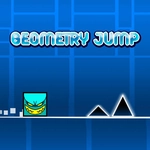
📝Geometry Jumping Overview
A tiny square, a deadly corridor, and your mouse click as the only brake between you and a respawn screen.
💬What is Geometry Jumping?
You'll need sharp timing here. The little square moves on its own, and every click forces a jump. It sounds simple, but the game piles on spinning blades, disappearing blocks, and split-second gaps that punish even a half-second of hesitation. I spent a solid ten minutes stuck on one section where two spikes rotate in opposite directions while a platform slides underneath you. The solution? Click a hair earlier than your gut says. That's the whole game in a nutshell: trust your rhythm, not your eyes.
What kept me coming back is how clean the feedback is. There's no health bar, no score multipliers, just a crisp snap when you clear an obstacle or that all-too-familiar fade to black when you clip a corner. The levels ramp up gradually at first, teaching you the weight of the jump and the way momentum carries over ledges, before throwing in multi-step sequences that feel like little puzzles. You'll start recognizing patterns: a low overhang means a short tap, a wide pit demands a full hold (if the game supports variable jump height—try pressing longer for extra distance). Even without a rewind feature, restarting is instant, and that's both a curse and a blessing because you'll want one more attempt every time.
If you enjoy games like The Impossible Game or Geometry Dash but want something far less punishing, this scratches the same itch without the music-synced chaos. The minimal aesthetic means no distractions, just pure cause and effect. One piece of advice: don't play this with a trackpad unless you're a masochist. A real mouse click has a tactile click that makes every jump feel deliberate.
👥How to Play Geometry Jumping
Use mouse to play this game.
✨Game Tips
Click at the very edge of a platform to get the most distance out of your jump.
If a section seems impossible, try holding the mouse button slightly longer for a higher arc.
Watch spinning obstacles for a full rotation before attempting your run so you can time the gap.
Use the side walls to your advantage—sometimes bouncing off a wall is the only way to reach a high ledge.
When you die, don't wait for a fade-out; click immediately to respawn faster.
For moving platforms, jump as they start moving away from you to land on the trailing edge.
🔧FAQ
Q: Is Geometry Jumping free to play?
A: Yes, it's completely free on this unblocked games site.
Q: Can I play Geometry Jumping on my phone?
A: The game uses mouse controls, so it works best on a desktop or laptop with a mouse.
Q: Do I need to download or install anything?
A: No, it runs directly in your browser using HTML5 technology.
Q: What is the goal in Geometry Jumping?
A: Guide the square through each level by timing jumps to avoid spikes, gaps, and moving hazards.
Q: How many levels does Geometry Jumping have?
A: The game includes a set of progressive levels; difficulty increases as you advance through each stage.
Q: Does Geometry Jumping have a restart button?
A: Dying automatically respawns you at the start of the current level, so you can retry instantly.