
Giddy Birds
Play Count0
Published2022-03-03
Supported DevicesPC + Mobile
CategoryArcade & Classic
Rating★★★★★5.0Rate this game
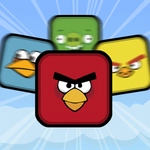
📝Giddy Birds Overview
One bird, two buttons, and a whole lot of ridiculous yes-or-no questions — how long can you last before your feathers get ruffled?
💬What is Giddy Birds?
Giddy Birds tosses out rapid-fire prompts and dares you to answer Yes or No before the timer runs out. Left key means No, right key means Yes, or just click the buttons if you're on a mouse. That's it. No tutorials, no story. Just a bird staring at you while the screen asks things no sane bird should ever have to decide — and you have maybe a second to commit.
The real pull is the chaos. One moment you're answering whether a bird should wear socks, then suddenly it's asking about eating a cactus or befriending a cat. The absurdity builds fast, and the pressure does too. I kept slapping the Yes button on reflex, which is exactly how I ended a run because the question was "Should you trust this suspiciously friendly owl?" The game punishes overthinking just as much as hesitation. That's the hook: you're not solving puzzles, you're surviving a shower of nonsense.
Controls are dead simple, but your own twitchiness becomes the enemy. If your left finger drifts too far from the No key, you'll fumble when a wave of questions speeds up. It's short-burst fun that's easy to jump into at school, on a break, or when you just need five minutes of dumb bird energy. No download, no sign-up, no mercy.
👥How to Play Giddy Birds
Left Key= No Button; Right Key=Yes Button; or use your mouse to touch the buttons.
✨Game Tips
Keep your left finger resting on the No key and your right on Yes — moving back and forth costs precious milliseconds.
Ignore logic entirely; these questions are built to bait you into the wrong tap.
Play with sound on. The little audio blips often hint at which answer the game expects.
If you're using a mouse, park the cursor dead center so both buttons are one tiny flick away.
Don't bother memorizing past questions — the order changes, but the chaos doesn't.
🔧FAQ
Q: Is Giddy Birds free to play?
A: Yes, it's completely free on unblocked games sites. No payment or account needed.
Q: Can I play Giddy Birds on mobile?
A: Yes, it works in a mobile browser. The touchscreen buttons make tapping Yes or No easy.
Q: Do I need to download anything?
A: No download required. It runs right in your browser as an HTML5 game.
Q: What are the controls for Giddy Birds?
A: Left arrow or A key for No, right arrow or D key for Yes. Mouse clicks on the on-screen buttons also work.
Q: Does Giddy Birds get harder as I play?
A: Yes, the questions come faster and the timer shrinks, so your reflexes have to keep up.
Q: Can I pause Giddy Birds mid-game?
A: Usually no pause button, but closing the tab and reopening starts a new run. It's meant for quick sessions.