
Gloom:Gargoyle
Play Count0
Published2021-11-05
Supported DevicesPC
CategoryAction & Fighting
Rating★★★★★5.0Rate this game
📝Gloom:Gargoyle Overview
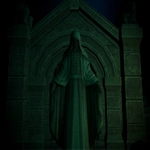
Claw your way through a cursed cathedral as a living gargoyle, swapping auras mid-fight to shred enemies.
💬What is Gloom:Gargoyle?
The game drops you into a gloomy gothic world as a stone gargoyle that's suddenly very much alive. Movement feels weighty but responsive — WASD to lurk, Shift to walk slow (for precise platforming), Space to jump. Left click swings your claw or whatever weapon you've got. The real hook is the aura system: press 1 for fiery aura, 2 for time aura, 3 for magic aura. Each one changes your attacks and maybe your defense. Fiery burns, time slows enemies or gives you speed, magic does ranged arcane blasts or something. You'll need to switch constantly because enemies have resistances or puzzles require different auras.
I spent a good chunk of time stuck on a bridge full of spectral archers. My fire aura was useless against their shields, but swapping to time aura let me freeze their arrows mid-flight and walk right past. That "aha" moment is what makes the game tick — it's not just button-mashing, it's about reading the room and swapping auras like a deck of cards. Combat can get frantic though; hit boxes feel a bit unforgiving at first, but once you learn enemy tells it becomes a dark ballet.
Visually it's low-poly but atmospheric — think early 2000s gothic action with modern lighting. Sound design is sparse but effective: stone grinding, distant bells, the whoosh of your aura. The game is clearly inspired by classic 3D platformers but with a darker edge. It's not flawless — the camera occasionally fights you during tight jumps, and the default mouse sensitivity is a touch high — but those are minor gripes for a free browser game. If you like dark fantasy and action with a brain, this one's worth an afternoon.
👥How to Play Gloom:Gargoyle
WASD - move
Shift - walking
Space - jump
Left Mouse Button - action
1 - fiery aura
2 - the aura of time
3 - aura of magic
✨Game Tips
Swap auras constantly in combat; enemies often resist one but fall quickly to another. Keep moving during fights; standing still makes you an easy target for ranged enemies. The time aura is your best defensive tool — use it to escape when surrounded. Save the fire aura for clustered enemies; its area damage makes short work of groups. Practice switching auras with keys 1-3 without looking at the keyboard; it becomes muscle memory. Use the walking toggle (Shift) to avoid over-jumping into pits on narrow ledges.
🔧FAQ
Q: Is Gloom:Gargoyle free to play?
A: Yes, it's completely free in your browser with no paywalls.
Q: Can I play Gloom:Gargoyle on mobile?
A: The game is designed for keyboard and mouse, so mobile play isn't recommended or fully supported.
Q: Do I need to download anything to play?
A: No downloads are needed; it runs directly in your web browser as an HTML5 game.
Q: What are the controls for Gloom:Gargoyle?
A: Use WASD to move, Shift to walk, Space to jump, left mouse to attack, and keys 1-3 to switch auras.
Q: Is Gloom:Gargoyle unblocked at school?
A: Yes, this unblocked version should work on most school networks, but firewalls can vary.
Q: Does Gloom:Gargoyle save my progress?
A: Browser games typically don't save progress, so you'll start fresh each session.