
Go Baby Shark Go
Play Count0
Published2021-12-23
Supported DevicesPC + Mobile
CategoryAction & Fighting
Rating★★★★★5.0Rate this game
📝Go Baby Shark Go Overview
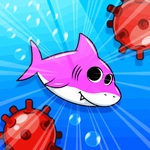
Tap once to keep Baby Shark swimming past jellyfish and hungry whales in this frantic underwater dash.
💬What is Go Baby Shark Go?
One mouse click. That's the entire control scheme, and it's enough to keep you glued for twenty minutes straight. You're a tiny shark swimming through an ocean that wants to eat you, and every click gives a little burst of speed or a jump — depends on the moment. I died three times before I realized the jellyfish tentacles don't hurt you unless you touch the bell. Then I died three more times learning the current patterns.
The levels scroll fast, and the hitboxes feel slightly forgiving — which is good because the visual clutter of bubbles and spinning starfish can throw off your depth perception. The sound design is pure earworm territory: the Baby Shark melody loops, but it's sped up and chopped so it never gets annoying. Actually, it does get annoying, but in a way that makes you laugh. The first time I tried to stay low to avoid a net and clicked too late, my shark did a little flip and slammed into a coral wall. I actually cursed out loud, then immediately clicked restart.
No complicated menus, no paywalls, no 'watch an ad to respawn' nonsense. You click, you swim, you crash, you click again. It's the kind of game you'll open for 30 seconds while waiting for a download and then realize 10 minutes passed. If you've got a kid nearby, they'll take the mouse from you — and they'll probably beat your score.
👥How to Play Go Baby Shark Go
One Mouse click to play.
✨Game Tips
Click a beat earlier than you think — the shark takes a split second to respond, so lead your jumps.
Stay in the upper third of the screen; most hazards spawn from below.
Don't chase every starfish. The points are tempting, but one bad click resets your run.
Listen for the deeper water sound cue before a big obstacle; it gives you about half a second extra warning.
After you die, click immediately to restart faster — no need to wait for the animation.
🔧FAQ
Q: Is Go Baby Shark Go free to play?
A: Yes, it's completely free in your browser with no download or sign-up required.
Q: Can I play Go Baby Shark Go on my phone?
A: The game works on mobile browsers, but a mouse or touchscreen makes the single-click control feel more precise.
Q: Do I need to download anything to start playing?
A: No downloads, no plugins. Just open the game page and click to swim.
Q: What age is this game suitable for?
A: It's designed for kids, but the timing challenges keep adults engaged too.
Q: How do I control the shark?
A: Click or tap once to make the shark jump or swim upward; release to dip down.
Q: Is there a way to pause or save my progress?
A: It's a quick arcade-style game, so progress isn't saved. Each run starts fresh.