
Grand Extreme Racing
Play Count0
Published2022-12-07
Supported DevicesPC
CategoryAction & Fighting
Rating★★★★★5.0Rate this game
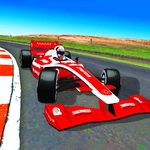
📝Grand Extreme Racing Overview
Grab a friend, redline the engine, and hit the NOS on the straightaway before the next jump decides who eats dirt.
💬What is Grand Extreme Racing?
Grand Extreme Racing throws you and a buddy into split-screen car chaos on the same keyboard. Player 1 gets the arrow keys, M for NOS, O to reset, P to peek back, and K to cycle cameras. Player 2 grabs WASD, left shift for boost, R to unflip, T to look behind, and C for camera. The setup is simple—two cars, open terrain, and a burning desire to make the other guy crash first.
I lost count of how many times I smashed the reset key after rolling my ride on a bad landing. Half the fun is managing your speed before a jump: too slow and you nose-dive, too fast and you overshoot the landing zone. The look-back button is pure trash talk material—hit it right after you pass your friend and watch them rage. Changing camera views helps a ton when the default angle hides the next ridge.
It's the kind of game that starts as a quick race and turns into a fifteen-minute grudge match. The NOS boost is your best friend and worst enemy. Burn it early and you'll spin out on loose dirt. Save it for the uphill straight and you'll fly past your opponent mid-air. Just remember to tap reset the second you flip, because the other player won't wait for you to crawl back onto your wheels.
👥How to Play Grand Extreme Racing
Player 1:
Move: "ARROW KEYS"
NOS: "M"
Restart car position: "O"
Look back: "P"
Change camera view: "K"
Player 2:
Move: "W,A,S,D"
NOS: "L-SHIFT"
Restart car position: "R"
Look back: "T"
Change camera view: "C"
If
✨Game Tips
Save your NOS for the straight after a big jump—burn it too early and you'll just spin out.
Tapping the look-back key right after passing someone is the ultimate trash talk move.
If you flip upside down, hit the reset button fast before your friend's car punts you further into the sand.
Player 2's left shift is easier to hold than tapping M, so pick your seat wisely.
Switch camera views to find the one that doesn't make you nauseous on the jumps.
🔧FAQ
Q: Is Grand Extreme Racing free?
A: Yes, it's completely free to play in your browser with no hidden payments or subscriptions.
Q: Can two people play Grand Extreme Racing on one computer?
A: Absolutely. Player 1 uses arrow keys, Player 2 uses WASD. You share the same keyboard.
Q: Do I need to download or install anything?
A: No downloads needed. It runs as an HTML5 game directly in your web browser.
Q: What does the NOS button do?
A: NOS gives you a temporary speed boost. Use it on straightaways to overtake or clear big jumps.
Q: How do I reset my car if it flips over?
A: Player 1 presses O, Player 2 presses R. This instantly puts your car back on its wheels.
Q: Can I play Grand Extreme Racing on my phone?
A: It's designed for keyboard controls, so a physical keyboard is recommended. Touchscreen support may be limited.