
Gravity Switch Cube
Play Count0
Published2022-03-03
Supported DevicesPC + Mobile
CategoryArcade & Classic
Rating★★★★★5.0Rate this game
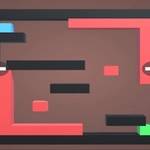
📝Gravity Switch Cube Overview
Flip the world sideways and ride the cube through twisting neon corridors where gravity obeys your every tap, not the floor.
💬What is Gravity Switch Cube?
Gravity Switch Cube drops you onto a floating platform and immediately asks a rude question: what if 'down' was a suggestion? The cube rolls forward on its own, and your job is to rotate the entire level so the cube falls in the direction you need. Tap or press a key and the whole stage spins 90 degrees, sending the cube tumbling toward a wall that's now the floor. Sounds simple until you realize the game doesn't wait for you to plan. Speed ramps, laser grids, and vanishing tiles show up early, and the safe route is rarely the obvious one.
I kept dying in the first three levels, not because the controls are bad (they're crisp on keyboard and touch) but because my brain refused to accept that gravity is a tool, not a rule. The second you start chaining gravity flips to slingshot the cube across gaps or bounce off a wall to reach a high ledge, it clicks. There's a rhythm to it, almost like a puzzle platformer crossed with a reflex test. The neon aesthetic helps: everything glows just enough to read the geometry at a glance, the camera stays steady behind the cube, and the sound of a successful flip has that satisfying click.
Don't expect a story or characters. This is a pure arcade challenge with short levels, instant restarts, and a difficulty curve that respects your time but not your patience. On mobile the on-screen button is responsive, but PC players get the better deal with WASD or arrow keys for fine control. I'd recommend starting slow, memorizing each level's layout, and then going for those sub-ten-second finishes. It's the kind of game you open for two minutes and thirty deaths later realize you've been at it for an hour.
👥How to Play Gravity Switch Cube
For mobile use button to move the cube and for PC use "WASD".
✨Game Tips
Flip early and often — treat gravity like a jump button in reverse.
On PC, tap the key once per flip; holding it just repeats the animation and wastes time.
Memorize where the speed pads launch you before committing to a side flip.
If a gap looks too wide, try flipping so the cube falls diagonally across it.
Restart instantly when you miss a flip — the timer only counts successful runs.
Mobile players: use both thumbs, one for movement and one for gravity, to keep momentum.
🔧FAQ
Q: Is Gravity Switch Cube free?
A: Yes, it's completely free to play in your browser with no hidden purchases.
Q: Can I play on mobile?
A: Yes, the game has on-screen controls for touch devices.
Q: Do I need to download anything?
A: No downloads. It runs in any modern browser as HTML5.
Q: What are the PC controls?
A: Use WASD or arrow keys to move and flip gravity.
Q: Is there a timer or scoring system?
A: Each level tracks your time, and faster finishes earn better ratings.
Q: Does it work offline?
A: You need an internet connection to load the game, but it might cache after first load.