
Grimace Click and Paint
Play Count0
Published2024-03-05
Supported DevicesPC + Mobile
CategoryArcade & Classic
Rating★★★★★5.0Rate this game
📝Grimace Click and Paint Overview
Grab your digital brush, pick a shade, and watch Grimace's world burst into color with every satisfying click.
💬What is Grimace Click and Paint?
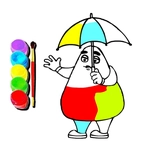
You get a clean black-and-white Grimace outline, a row of paint pots underneath, and that's it. No timers, no score chasing, no 'wrong' colors — just you, a mouse, and a blank canvas. I liked that. Some days you don't want a boss fight; you just want to make a purple blob look happy.
Each click fills the selected shape instantly, with a soft pop that feels weirdly rewarding. The outlines are thick and chunky, so even if you misclick, nothing bleeds outside the lines. It's practically impossible to mess up. My five-year-old cousin did a solid ten minutes without asking for help once. The moment I realized I could recolor the same spot as many times as I wanted, I went full chaos mode and turned Grimace's shoes neon green. No regrets.
It's not a deep game. You won't unlock anything, there are no leaderboards, and the only 'challenge' is deciding whether his milkshake should be strawberry pink or chocolate brown. But that's exactly why I keep it open in a tab. It's a five-minute brain break that asks absolutely nothing from you. Perfect for when you need to decompress between classes or just want to click something pretty.
👥How to Play Grimace Click and Paint
Mouse to play.
✨Game Tips
Click the paint pot first, then the area you want to fill — double-clicking the same spot just recolors it again, which is actually great for experimenting.
Use the thick outlines to your advantage: even sloppy clicks stay inside the lines, so don't stress about precision.
If you're playing with a kid, let them pick the palette first; the game won't judge and neither should you.
Want a quick reset? Just recolor everything white or hit the page refresh — there's no penalty for starting over.
The mouse controls are loose enough that a trackpad works fine, so it's perfect for a laptop in bed.
🔧FAQ
Q: Is Grimace Click and Paint free?
A: Yes, it's free to play right in your browser — no downloads, no sign-ups, no paywalls.
Q: Can I play Grimace Click and Paint on my phone?
A: It works on mobile browsers too, though a mouse or trackpad gives you better control over the small areas.
Q: Do I need to download anything to play?
A: Nope. Just open the game page and it runs instantly in HTML5, no installation required.
Q: Is this game suitable for young kids?
A: Absolutely. There's no violence, no timers, and no wrong answers — just coloring at your own pace.
Q: Can I save my finished Grimace artwork?
A: You can take a screenshot, but the game itself doesn't have a built-in save or export feature.
Q: What if I make a mistake while coloring?
A: Nothing bad happens. You can recolor any area as many times as you like, or refresh to start over.