
Gumball Darwin Competition Party
Play Count0
Published2021-03-31
Supported DevicesPC
CategoryArcade & Classic
Rating★★★★★5.0Rate this game
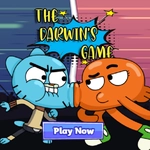
📝Gumball Darwin Competition Party Overview
Can you out-reflex Gumball and Darwin in a zany arcade party battle where the rules change every second?
💬What is Gumball Darwin Competition Party?
You'd think a party game with Gumball and Darwin would be chill. It's not. The moment you load in, you're thrown into a whirlwind of rapid-fire mini-challenges where the blue cat and his adopted fish brother turn every interaction into a competition. One second you're frantically tapping to keep Darwin from tripping over a stack of comic books, the next you're guiding Gumball through a maze of snacks while the timer ticks down. The controls couldn't be simpler—tap or hit a key—but the timing demands sharp reflexes. I lost more rounds than I'd like to admit because I got distracted by the silly animations in the background.
What actually makes it work is the energy. Each round is short, like fifteen to thirty seconds, so you're constantly saying 'one more go.' The game nails the show's weird sense of humor: characters glitch, objects bounce with exaggerated physics, and the sound effects are pure cartoon chaos. Even when you lose, the fail states are funny enough that you don't mind. I kept coming back just to see what crazy situation the next challenge would throw at me.
Don't expect deep strategy—this is a pure arcade party experience. It's best in short bursts, especially if you have a friend to compete against locally. If you're a fan of The Amazing World of Gumball, the character designs and references will hit the right notes. For everyone else, it's a quick, goofy reflex test that's easy to pick up and even easier to laugh at.
👥How to Play Gumball Darwin Competition Party
keyboard or tap to play
✨Game Tips
Watch the background before the round starts—it often hints at the next mini-game's layout.
Tap faster than you think you need to; the timing windows are tighter than they look.
If you're playing two-player, sit on the same side so you can both see the screen without leaning.
Don't ignore silly power-ups like the banana peel—they can flip a whole round in your favor.
Keep your finger or cursor near the center of the screen to cut down reaction distance.
🔧FAQ
Q: Is Gumball Darwin Competition Party free?
A: Yes, it's completely free to play in your browser with no hidden fees or in-game purchases.
Q: Can I play it on mobile?
A: Yes, the game supports touch controls so it works on phones and tablets just as well as on desktop.
Q: Do I need to download anything?
A: No download needed. Just open the game page in any modern browser and start playing instantly.
Q: How many players can play?
A: The main mode is single-player, but some versions offer a local 2-player mode where you take turns or compete side by side.
Q: Does it work on school Chromebooks?
A: Yes, it's HTML5-based and runs directly in the browser, so most Chromebooks and school devices can handle it without issues.
Q: Are there any special controls I should know?
A: Use your mouse, touchscreen, or keyboard (usually spacebar or arrow keys) depending on the mini-game. Each round shows a quick hint.