
Gumball Soccer Game
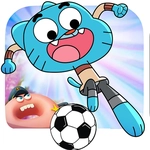
📝Gumball Soccer Game Overview
Gumball's taken over the soccer field, and the ball bounces like it's had too much sugar—can you keep up?
💬What is Gumball Soccer Game?
Gumball Soccer Game takes the bright, bouncy chaos of the Amazing World of Gumball and drops it onto a tiny soccer pitch. You control one of the show's characters—or maybe a generic stand-in, depending on the version—with your finger on a touchscreen or your mouse on a computer. Slide your character around, and the ball moves when you bump into it. It sounds simple, but the ball has a mind of its own. It rolls too far, stops short, or curves like it's been kicked by Darwin after a triple espresso. That unpredictability is the whole point. You'll miss easy shots, score impossible ones, and spend half the match just trying to line up your next touch.
The game doesn't hold your hand. There's no tutorial, no on-screen arrows telling you where to aim. You just drop in and figure it out. I remember my first goal: I accidentally smacked the ball with the side of my character, it bounced off the wall, hit the goalie's foot, and trickled over the line. I celebrated like I'd won a real cup. The opponent (CPU) isn't brilliant, but it's aggressive enough to force you to move constantly. You can't just stand still and wait for the ball to come to you—you have to chase it, cut it off, and sometimes just fling yourself in front of a shot.
What keeps me coming back is the quick-match energy. A game takes maybe two or three minutes. You lose, you immediately want a rematch because it felt like luck, not skill. Then you win and it feels like skill, not luck. That little loop is addictive. It's the perfect lunch-break game: no downloads, no complicated modes, just pick a side and try to out-bounce your opponent. If you remember the show, you'll get a kick out of the art style. If you don't, it's still a surprisingly solid arcade soccer game that doesn't take itself seriously at all.
👥How to Play Gumball Soccer Game
use your finger or computer mouse to control the ball & the character
✨Game Tips
Aim for the center of the ball to hit it straight, not off to the sides.
Use short, quick flicks on mobile instead of long drags—you'll have more control.
When the opponent kicks, watch the ball's spin and let it roll past you before countering.
Stay just behind the ball's path and bump it toward the goal, don't chase it head-on.
If the ball gets stuck in a corner, approach slowly from the open side to tap it out.
Scoring from a rebound off the wall often works because the goalie can't react fast enough.
🔧FAQ
Q: Is Gumball Soccer Game free?
A: Yes, the game is completely free to play online with no hidden charges.
Q: Can I play Gumball Soccer Game on mobile?
A: Absolutely. It works in your mobile browser and uses touch controls.
Q: Do I need to download anything to play?
A: No downloads required. Just open the game in any modern browser and start playing.
Q: Is there a two-player mode?
A: This version is single-player against a CPU opponent. No local multiplayer is available.
Q: What are the controls?
A: Use your finger on a touchscreen or your mouse to move your character and hit the ball.
Q: Is Gumball Soccer Game suitable for kids?
A: Yes, it's family-friendly with no violence or inappropriate content, just cartoon soccer fun.