
GunGame 24 Pixel blocky combat
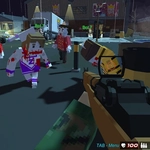
📝GunGame 24 Pixel blocky combat Overview
Lock and load in a blocky pixel arena where every headshot counts and the floor is lava half the time.
💬What is GunGame 24 Pixel blocky combat?
GunGame 24 Pixel blocky combat throws you into a fast, messy first-person shooter that looks like Minecraft got angry. You spawn with a basic weapon and have to work through a set list—every kill swaps your gun for something new, and the last weapon is always the hardest to secure a kill with. I died three times on the knife round alone before I realized you can sprint past someone and spin around for a quick stab.
The blocky visuals aren't just a style choice; they make judging distance weirdly tricky. A player half-hidden behind a cube can look like part of the scenery until they start shooting. The controls are tight though—WASD to move, mouse to aim and fire, space to jump, shift to sprint. Press Tab to open the menu and check your current weapon order. Q and E bring up camos and attachments, but those are purely cosmetic. The real game is about managing the weapon swaps and not getting caught in a corner with a slow-firing rifle when someone rushes you.
It's the kind of game where you'll swear you were one kill away from the end, then get dropped by a shotgun from behind and have to start the weapon list over. That reset is brutal but keeps every match tense. The pixelated blood splatters and blocky death animations are oddly satisfying, and the sound design—every gun has a distinct, chunky report—makes it easy to tell what you're up against. If you liked classic arena shooters but want something that runs on a potato, this one deserves a few rounds.
👥How to Play GunGame 24 Pixel blocky combat
WASD - move
Mouse - shooting, aim, look around, change gun
SPACE - jump
TAB - menu
SHIFT - run
Q - FOR CAMOS
E - FOR ATTACHAMENTS
✨Game Tips
Keep moving constantly—standing still in a blocky map makes you an easy silhouette against the flat colors.
Use shift to sprint when you spawn or after a kill; closing the gap helps with short-range weapons.
Check the Tab menu often to see which weapon you'll get next so you can plan your positioning.
Don't waste time on camos and attachments with Q and E mid-fight—they're just for looks, and the enemy won't wait.
If you're stuck on a tough weapon like the knife, try jumping around corners or sprinting past enemies for a quick backstab.
Learn the map's vertical spots—jumping up on blocks gives you a sightline advantage with longer-range guns.
🔧FAQ
Q: Is GunGame 24 Pixel blocky combat free to play?
A: Yes, it's completely free in your browser with no paywalls or hidden costs.
Q: Can I play GunGame 24 Pixel blocky combat on mobile?
A: The game uses mouse and keyboard controls, so a desktop or laptop is recommended for the best experience.
Q: Do I need to download anything to start playing?
A: No downloads are required—just open the page and the game loads instantly as HTML5.
Q: Does GunGame 24 Pixel blocky combat have a multiplayer mode?
A: Yes, the core mode is multiplayer where you battle against other players online.
Q: What are the main controls for GunGame 24 Pixel blocky combat?
A: WASD to move, mouse to aim and shoot, space to jump, shift to run, Tab for menu, Q and E for camos and attachments.
Q: Is the game safe for kids?
A: It has pixelated violence and blood, so it's best for teens and older players who are fine with combat games.