
Halloween Cemetery Escape
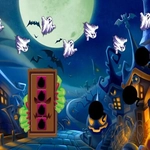
📝Halloween Cemetery Escape Overview
You wake up inside a rusted cemetery gate, and the only way out is clicking every grave, skull, and creepy clue you can find.
💬What is Halloween Cemetery Escape?
I'll admit, I clicked on this expecting a cheap jump-scare cash-in. Instead I got a surprisingly methodical little escape room set in a graveyard. You've got a mouse (the computer kind, not the creepy crawler) and a whole cemetery full of interactive junk: tilted headstones, iron gates, pumpkin lanterns, a crypt door that refuses to budge until you find the right set of teeth or key or whatever weird thing the game wants. The logic mostly holds together—if a symbol appears on a mausoleum, you'll probably need to match it somewhere else. I hit one puzzle where I thought I needed to solve a riddle written on a grave, but nah, I had to physically drag a statue's arm. That mix of obvious and sneaky kept me on my toes.
The mouse-only setup makes it easy to play one-handed while half-watching something, but some hitboxes are tiny and I found myself clicking the same patch of grass three times before the cursor changed. Not a dealbreaker, just occasional frustration. There's no timer, no fail state, so you can wander and click like an idiot without penalty. That low pressure is actually a plus for a Halloween game—you get the atmosphere without the stress. The sound design deserves a nod: distant crows, a gate that groans when you finally open it, and a weird whisper when you touch the wrong object. Nothing jumpscared me, which I appreciate, though a couple of visual gags did make me roll my eyes.
If you're after a quick scary puzzle fix during a free period, this does the job. It's not the longest escape game out there, but it's polished enough and the spooky season theming is on point. I'd tell you exactly what the final escape looks like, but where's the fun in that? Just remember: if a pumpkin looks smug, click it twice.
👥How to Play Halloween Cemetery Escape
Mouse Interact
✨Game Tips
Click every pumpkin twice—the first click often just wiggles it, the second reveals the useful stuff.
Keep mental notes of symbols on tombstones; they usually pair with locks on the crypt door.
Don't ignore the edges of the screen, small items like keys hide in corners and behind grass clumps.
If a cursor doesn't change over an object, move slightly left or right; some hotspots are offset.
There's no penalty for random clicking, so when stuck, sweep your mouse steadily across each scene.
The crow on the fence isn't just decoration—give it a poke when you're out of ideas.
🔧FAQ
Q: Is Halloween Cemetery Escape free to play?
A: Yes, it's completely free in your browser, no download or payment required.
Q: Can I play Halloween Cemetery Escape on my phone?
A: It works best with a mouse, but many mobile browsers support tap controls for clicking hotspots.
Q: Do I need to download anything to start?
A: No downloads or plugins needed. It runs directly in Chrome, Safari, Firefox, or Edge.
Q: How long does Halloween Cemetery Escape take to finish?
A: Most players take 15 to 25 minutes depending on puzzle speed and how often you backtrack.
Q: Is this game suitable for kids?
A: It has mild spooky imagery like skeletons and fog, but no gore or jump scares, so older kids should be fine.
Q: What should I do if I get stuck?
A: Slowly sweep your mouse across every area and click objects more than once; hidden hotspots often need a second interaction.