
Halloween Coloring Art Games
Play Count0
Published2023-04-12
Supported DevicesPC
CategoryGirls & Lifestyle
Rating★★★★★5.0Rate this game
📝Halloween Coloring Art Games Overview
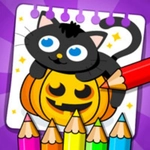
Pick a spooky page, grab a virtual crayon, and turn plain pumpkins and ghosts into a neon nightmare that's more cute than creepy.
💬What is Halloween Coloring Art Games?
I loaded up a page with a grinning jack-o'-lantern, clicked the orange bucket, and watched the fill spread under my cursor like magic. That's the whole appeal here—no pressure, no timers, just you and a stack of digital crayons against a black-and-white Halloween scene. The color palette leans into the holiday without being scary: deep purples, candy-corn oranges, witchy greens, and a few strangely satisfying glitters if you dig around. You can tap a ghost's sheet pale blue, smear a bat's wings charcoal, or go full rainbow on a haunted house. My favorite trick is coloring the sky behind a black cat a dark violet, then adding tiny yellow stars with the pencil tool for a midnight glow.
What surprised me is how calming it gets after a few minutes. The lines stay put—no accidental spills outside the edges—and every hue fills without streaking, which is a big deal if you've ever fought with clunky browser art games. There's a good mix of pages too: simple smiling pumpkins for quick doodles, and more detailed scenes with witches, cats, and trick-or-treat bags if you want to settle in. You won't find complex layer systems or brush settings, and honestly that's a blessing. It's just pick a color, tap, repeat. My six-year-old cousin grabbed the mouse and finished three pages before I even got my turn back.
If you're expecting a high-end drawing app, you'll be disappointed. If you want a cozy, zero-stakes way to zone out with seasonal art, this nails it. The background music (if you unmute) is a little loop of spooky-soft chimes that never gets annoying. I kept coming back to the same witch hat page just to try different color combos—purple hat with green band, orange hat with black buckle, the works. Just don't expect to save your masterpieces; I screenshotted mine and sent it to a group chat with zero shame.
👥How to Play Halloween Coloring Art Games
Tap or click
✨Game Tips
Use the dark purple for shadows inside the pumpkin's eyes—it pops against orange.
Don't rush the ghost: layer light gray first, then add white highlights for depth.
The eraser resets only the last color you dropped, so use it right after a mistake.
Zoom out before starting a detailed page so you can see which areas are tiny.
Try coloring the whole background one shade first; it makes the main subject stand out.
Switch between bucket fill and pencil for small spots like teeth or star shapes.
🔧FAQ
Q: Is Halloween Coloring Art Games free?
A: Yes, it's completely free to play in your browser with no hidden fees.
Q: Can I play Halloween Coloring Art Games on mobile?
A: Yes, the tap controls work great on phones and tablets—just touch a color then the page.
Q: Do I need to download anything?
A: No download needed. Just open the game in your web browser and start coloring.
Q: What age is this game best for?
A: It's perfect for younger kids but relaxing enough for any age.
Q: Can I save my finished artwork?
A: The game doesn't save to your device, but you can take a screenshot to keep it.
Q: Does Halloween Coloring Art Games require an internet connection?
A: Yes, since it runs in a browser, you need to be online to play.