
Halloween Face Art
Play Count0
Published2021-03-17
Supported DevicesPC
CategoryArcade & Classic
Rating★★★★★5.0Rate this game
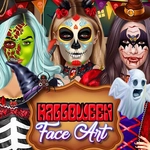
📝Halloween Face Art Overview
Grab the brush and cover each creepy canvas with glow-in-the-dark skulls before the timer runs out.
💬What is Halloween Face Art?
I wasn't expecting much from a browser game called Halloween Face Art, but the second I started clicking, I got hooked. You're given a blank pumpkin face, a palette of neon paints, and a few stencils that look like they came off a discount store shelf. Then the timer kicks in. Suddenly it's not just coloring—it's a frantic race to match the target design before the little ghost icon stops spinning. The mouse is your only tool, but the precision needed on those tiny bat wings had me muttering at my screen.
The game doesn't hold your hand. You figure out pretty fast that the order of layers matters—paint the big background swirls first, then slap on those tiny teeth. I kept messing up on the zombie's left eyebrow, and the game just laughs and shows you a 'spooky fail' screen. But here's the thing: it's weirdly satisfying. The click feedback is tight, the colors pop, and when you nail a design with two seconds left, you feel like a freakin' Halloween artist. There are maybe a dozen faces in total, each with its own twist: some are symmetrical, some require overlapping stencils, and a couple throw in a 'ghost correction' where the design shifts mid-paint.
The arcade hook is real. Every face you finish unlocks a nastier one—vampire with trickier fangs, witch with warped hat angles. I found myself replaying the easier ones just to beat my own best time. There's no story, no upgrade tree, just pure mouse-and-click reflex painting. And honestly, that's exactly what I wanted after a day of heavy RPGs. It's the kind of game you open 'for five minutes' and then you've lost twenty. Perfect for a lunch break when you need something spooky but not scary.
👥How to Play Halloween Face Art
Use mouse to control
✨Game Tips
Start with the largest colored area first—don't waste time on details before the base coat.
Use quick, short clicks for tiny details; holding the mouse drags too much paint.
Watch the top-left timer; it speeds up after each successful face.
Skip stencils if you can freehand the simple shapes—it saves precious seconds.
The ghost icon stops spinning right before the round ends; don't panic-click when it blinks.
Reload the page if the brush lags; HTML5 games sometimes chug on older laptops.
🔧FAQ
Q: Is Halloween Face Art free to play?
A: Yes, it runs right in your browser with no payment or signup required.
Q: Do I need to download anything to play?
A: Nope. It's an HTML5 game so it loads instantly on any modern browser.
Q: Can I play Halloween Face Art on my phone?
A: The game uses mouse controls, so a touchscreen works but precision suffers. A desktop mouse is ideal.
Q: Will it run on a school computer?
A: Usually yes—only a browser and mouse are needed, no heavy graphics or installs.
Q: How do I restart a level if I mess up?
A: Just refresh the page or click the retry button if one appears after a failed attempt.
Q: Is there a time limit on each face?
A: Yes, each design has a countdown. Finishing faster gives you a better score.