
Halloween Magic Tiles
Play Count0
Published2023-02-17
Supported DevicesPC + Mobile
CategoryArcade & Classic
Rating★★★★★5.0Rate this game
📝Halloween Magic Tiles Overview
Tap the black tiles, dodge the white ones, and keep the rhythm alive as spooky Halloween beats pump through your headphones.
💬What is Halloween Magic Tiles?
Halloween Magic Tiles takes the classic piano tile tapping formula and dresses it up in cobwebs and jack-o'-lanterns. You've got a vertical board full of tiles—some black, some white. Your job is dead simple: tap only the black ones, ignore the white ones, and don't stop. Miss a tile or hit a white one and the run's over. The catch is the music. Each track starts slow and lulls you into a false sense of security, then the tempo kicks up and suddenly you're tapping like a caffeinated woodpecker. It's the kind of game where your brain shuts off and your fingers take over.
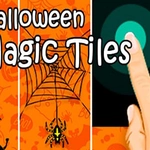
I'll admit, I thought this was just another Magic Tiles clone when I first opened it. But the Halloween skin actually works—the dark background, the glowing orange accents, the little ghost icons that flash when you hit a note. There's a moment in most songs where the beat drops and the tiles start spawning two or three at a time. You stop reading them individually and just react. That flow state is where the game lives. It's not about memorizing patterns; it's about trusting your hand-eye coordination and letting the rhythm carry you.
The difficulty curve is steep but fair. You'll lose a lot early on, especially if you're on a laptop trackpad. A mouse or touchscreen helps, but keyboard taps work too—just hit any key when a black tile reaches the bottom. It's perfect for short bursts between classes or in a study hall, and since it's unblocked, you don't need to mess with downloads or firewalls. Just make sure your volume's up, because the music isn't just background noise—it's the whole point.
👥How to Play Halloween Magic Tiles
Use Mouse To Play and Keyboard
✨Game Tips
Keep your eyes on the top of the screen where tiles spawn, not where you're tapping.
Use your peripheral vision to spot white tiles early so you don't panic-tap them.
Turn up the volume—the music cues the tile patterns and helps you stay on beat.
Start with slower songs if you're new; the difficulty ramps up fast.
Tap with a light finger or mouse click to avoid double-tapping by accident.
Don't chase perfect runs at first; just focus on surviving each chorus.
🔧FAQ
Q: Is Halloween Magic Tiles free to play?
A: Yes, it's completely free with no hidden paywalls. Just load the page and start tapping.
Q: Do I need to download anything to play Halloween Magic Tiles?
A: No downloads needed. It runs right in your browser using HTML5, so it works on most devices.
Q: Can I play Halloween Magic Tiles on my phone?
A: Yes, the touch controls work great on mobile. Just tap the tiles with your finger.
Q: What are the controls for Halloween Magic Tiles?
A: Use your mouse to click black tiles, or press any keyboard key when playing with keys. Avoid white tiles.
Q: Is Halloween Magic Tiles suitable for kids?
A: The Halloween theme is spooky but not scary, so it's fine for most ages. There's no violence or gore.
Q: Does Halloween Magic Tiles have different songs?
A: It features several Halloween-themed tracks that change the rhythm and speed as you progress.