
Halloween Theet
Play Count0
Published2024-10-11
Supported DevicesPC + Mobile
CategoryArcade & Classic
Rating★★★★★5.0Rate this game
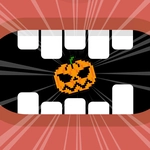
📝Halloween Theet Overview
Tap through jack-o'-lantern chaos before the clock hits zero—can you keep the spooky streak alive?
💬What is Halloween Theet?
The first thing you'll notice is how fast it ramps up. Halloween Theet doesn't waste time with tutorials or cutscenes—you're tapping almost immediately. Symbols pop up across the screen, and each successful click adds to your score. Miss one, or tap the wrong thing at the wrong moment, and the run ends. It's pure arcade muscle memory, the kind that makes you mutter "one more try" after every failed run.
There's a rhythm to it once you settle in. I found myself locking onto patterns instead of reacting randomly. Some targets linger for a second, others flash and vanish. The trick is knowing which ones to prioritize when the screen gets crowded. That panic moment—when three things appear at once and you have to decide in a split second—is where the game lives. It's frustrating in the best way.
Visually it leans fully into Halloween kitsch: purple skies, jagged fonts, glowing eyes in the dark. The sound design (if you keep volume on) adds little pops and chimes that make successful taps feel satisfying. It's not deep, but it doesn't need to be. As a quick break between classes or during a lunch break, Halloween Theet works. Just don't blame me if your thumb starts twitching.
👥How to Play Halloween Theet
Mouse click or tap to play
✨Game Tips
Tap the center of targets, not the edges—hitboxes feel tighter than they look.
Don't chase every symbol; prioritizing the slow-fading ones first saves your combo.
Keep your finger or cursor moving in a small circle to cut down travel time.
Watch for the orange flash before a target disappears—that's your last chance to react.
If your run ends early, restart instantly instead of staring at the score; momentum resets your reflexes.
Turn off other tabs or notifications—one lag spike will ruin a good streak.
🔧FAQ
Q: Is Halloween Theet free to play?
A: Yes, it's completely free in your browser—no hidden paywalls or premium unlocks.
Q: Do I need to download anything to play Halloween Theet?
A: No download required. It runs directly in your web browser using HTML5.
Q: Can I play Halloween Theet on my phone or tablet?
A: Absolutely. The tap controls work on touchscreens, so mobile play is just as smooth.
Q: What's the best strategy to get a high score in Halloween Theet?
A: Focus on targets that are about to disappear instead of grabbing everything at once.
Q: Does Halloween Theet work on a school Chromebook?
A: Yes, it loads fine on most school devices since it's lightweight and unblocked.
Q: Is there a pause button if I need to stop quickly?
A: Most versions let you click or tap outside the play area to pause, but it varies by site.