
Halloween Word Search
Play Count0
Published2020-10-22
Supported DevicesPC
CategoryArcade & Classic
Rating★★★★★5.0Rate this game
📝Halloween Word Search Overview
Halloween's creepiest words are hiding in plain sight—can you spot the vampire before time runs out?
💬What is Halloween Word Search?
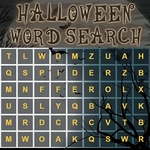
I've burned through plenty of word searches, and this one nails the Halloween vibe without overcomplicating things. The grid is packed with themed terms—think goblin, cauldron, eerie, and the usual autumnal suspects. You'll either click and drag across letters or tap them one by one, depending on your device, and the game highlights your selection in a satisfying shade of orange. What caught me off guard was how easy it is to lose a word that's hidden backwards. I spent a solid minute hunting for 'witch' before realizing it was spelled 'hctiw' right under my nose.
The layout is clean, with the word list sitting off to the side so you can keep track of what's left. There's no pressure, which makes it a good chill-out puzzle for a break between classes or a quick brain warm-up. The letters themselves are chunky enough to read at a glance, and the Halloween color scheme—dark purples, blacks, pops of pumpkin orange—keeps it from feeling like a generic worksheet.
You can approach it however you like: scan row by row, hunt for unusual letters, or just let your eyes drift until a word jumps out. I found it most fun to play in short bursts, going for the weirdest word on the list first. The satisfaction of circling that last hidden phrase is the same little dopamine hit every time, whether you're five or fifty.
👥How to Play Halloween Word Search
Use mouse or tap to screen to play this game!
✨Game Tips
Double letters pop out—scan for 'll', 'ee', or 'oo' to get quick wins.
Tackle the longest themed word first; it's easier to find when you're fresh.
Grid search order matters: check across, then down, then diagonals, and don't skip right-to-left.
Rare letters like Q, Z, and X are like neon signs in a word search.
If a word ends with a common suffix like -ing or -ed, look for that chunk rather than the whole word.
Tap the first letter, then drag to the last letter without lifting your finger to auto-highlight.
🔧FAQ
Q: Is Halloween Word Search free to play?
A: Yes, it's completely free in your browser with no paywalls or hidden fees.
Q: Can I play Halloween Word Search on mobile?
A: Absolutely. The game works on touchscreens—just tap and drag with your finger.
Q: Do I need to download anything to play?
A: No downloads or plugins needed. It runs as HTML5 directly in any modern web browser.
Q: How do I select words in the grid?
A: Click or tap the first letter, drag across to the last letter, then release to mark the word.
Q: Are the words always forwards?
A: Not always. Words can be hidden backwards, diagonally, or even upside down, so look both ways.
Q: Is there a way to restart the puzzle if I get stuck?
A: Usually you can refresh the page or look for a reset button to scramble the letters again.