
Halloween Words Search
Play Count0
Published2021-10-11
Supported DevicesPC + Mobile
CategoryArcade & Classic
Rating★★★★★5.0Rate this game
📝Halloween Words Search Overview
Hunt through a graveyard of jumbled letters for spooky vocabulary before the timer burns out.
💬What is Halloween Words Search?
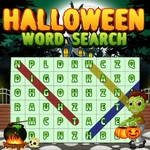
Whoever thinks word searches are for little kids hasn't tried finding 'jack-o'-lantern' spelled backward across a 20x20 grid while a cartoon ghost stares at you. Halloween Words Search keeps the formula simple: a letter grid packed with holiday terms, a list of words to hunt, and your mouse or finger to highlight them. You can drag horizontally, vertically, or diagonally — and the moment you snag a word that's hiding in plain sight is way more satisfying than it should be.
I spent longer than I care to admit stuck on 'witch' because I kept looking for it left to right, then found it running bottom to top near the edge. That's the game's quiet charm. The Halloween skin isn't just decoration; the color scheme and spooky fonts actually make some letters blend together, so you'll squint at the screen like you're reading a cursed scroll. No lives, no death mechanics. Pick your difficulty if available, reset the board when your eyes go crossed, and just keep scanning.
What surprised me is how relaxing this is as a break between sweaty action games. You can play with one hand, listen to music, and still feel like you're exercising your brain. It's not going to replace your favorite shooter, but for a free unblocked game at school or work, it does exactly what it should — kills a few minutes and gives you that tiny hit of victory every time a word lights up.
👥How to Play Halloween Words Search
Use mouse or touch pad to play this game.
✨Game Tips
Scan the word list first, then hunt for unusual letters like Q, X, or Z to spot words faster.
Drag diagonally too—most words hide where you're not looking.
If you're stuck, check reverse spellings; words go both directions.
Use the reset button if the grid feels too cluttered after a few finds.
Keep one hand on the mouse and rest your eyes every minute or two to avoid letter fatigue.
Start with the longest word on the list; it's easier to spot its unique pattern.
🔧FAQ
Q: Is Halloween Words Search free to play?
A: Yes, it's completely free in your browser with no downloads or hidden fees.
Q: Can I play Halloween Words Search on my phone?
A: Yes, the touch controls work on phones and tablets through any mobile browser.
Q: Do I need to download anything to play?
A: No, it runs instantly as an HTML5 game. Just open the page and start.
Q: What if I can't find a word?
A: Look for reverse spellings, diagonal lines, and use the hint or reset button if available.
Q: Does this game work at school?
A: It's unblocked, so most school networks won't block it. Use a quiet device if needed.
Q: How long does a typical round take?
A: Most word lists take 3 to 8 minutes depending on the grid size and your focus.