
Happy Dream Dolly Designer
Play Count0
Published2019-12-17
Supported DevicesPC
CategoryGirls & Lifestyle
Rating★★★★★5.0Rate this game
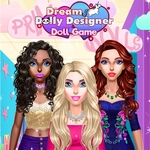
📝Happy Dream Dolly Designer Overview
Ready to turn a blank doll into a pastel-perfect dream? Pick the hair, eyes, outfit, and accessories until she's exactly the doll you imagined.
💬What is Happy Dream Dolly Designer?
Happy Dream Dolly Designer is a pure dress-up sandbox. You get a plain doll and a tray of tabs running down the side—skin, hair, eyes, lips, clothes, shoes, extras. Clicking each tab swaps the options on the bottom row, and every click applies instantly. There's no score, no timer, no wrong choices. Just you fiddling with endless combinations until something clicks.
I kept losing time trying to make the purple ombre hair work with the starry party dress. The eye color tab is surprisingly deep: not just blue or brown, but violet, amber, and even heterochromia options if you pick the right pair. The real aha moment for me was discovering that some hairstyles have built-in accessories—a tiny bow or flower—so adding a separate hairpin can look cluttered. The game doesn't tell you that; you just notice the overlap. The dress category alone has ball gowns, casual tops with skirts, and even a mermaid tail that I won't spoil—just know it clips weirdly with most shoes. That's part of the charm. You learn which combinations are safe and which are chaotic fun.
Kids will get the most mileage here, but honestly, it's a decent low-pressure way to relax. The pastel palette is soft on the eyes, and the mouse-only controls mean you can play one-handed with a snack in the other. Just be warned: there's no save button, so if you close the tab, that perfect doll is gone. Take a screenshot before you leave.
👥How to Play Happy Dream Dolly Designer
Mouse Only
✨Game Tips
Match the shoe color to the dress trim, not the main fabric—it makes the outfit look pulled together fast.
Test every hair color before you settle; some shades wash out against the default background.
Layer necklaces over sleeveless tops only, or they'll vanish behind collars.
Use the reset button sparingly—it wipes everything, so snap a mental picture first.
If the doll looks 'off', it's usually the eyebrows. Darken them one step and see the difference.
Don't ignore the background tab; a contrasting background makes your doll's colors pop.
🔧FAQ
Q: Is Happy Dream Dolly Designer free to play?
A: Yes, it's completely free in your browser with no hidden paywalls.
Q: Can I play Happy Dream Dolly Designer on my phone?
A: Yes, it works on mobile browsers, though a mouse gives you more precise control.
Q: Do I need to download or install anything?
A: No downloads needed. Just open the game page and start designing.
Q: Can I save my doll designs?
A: There's no built-in save, but you can take a screenshot of your finished doll.
Q: Is this game suitable for young kids?
A: Absolutely—it's designed for all ages with no ads, violence, or reading required.
Q: What if I get bored with the options?
A: Try mixing categories you don't usually touch, like the fantasy hair or novelty shoes.