
Hardxel
Play Count0
Published2024-04-22
Supported DevicesPC + Mobile
CategoryAction & Fighting
Rating★★★★★5.0Rate this game
📝Hardxel Overview
Grab a friend and brace for split-screen chaos where double jumps decide who falls and who finishes.
💬What is Hardxel?
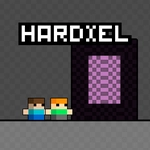
Hardxel throws you and a buddy onto the same screen with separate controls – WASD for one, arrow keys for the other – and a map that punishes every mistimed hop. You're both tiny blocky runners zipping across floating platforms, spikes, and moving slabs. The double jump isn't just a luxury; it's the core of every successful run. Tap jump again at the peak of your first leap and you'll clear gaps that look impossible. Miss by a hair and you're tumbling into the void, respawning a half-second behind your rival.
What makes Hardxel stick is how tightly the levels are tuned for two players. Some platforms shift when one player lands, doors only open if both of you stand on pressure pads, and there are shortcuts that trigger only after a specific sequence of jumps. I've lost count of the times I watched my friend nail a triple-tier jump only to fall because I triggered a moving block at the wrong moment. The game doesn't hold your hand – it expects you to learn patterns through repetition, and that's exactly what kept us glued for an hour.
On mobile, the touch controls split the bottom corners into virtual pads, so you can theoretically play solo with both thumbs. It's chaotic and borderline unfair, but it works for practice. Just don't expect to beat someone who's on a keyboard. If you want fast, friend-versus-friend precision without any download, Hardxel is a solid pick.
👥How to Play Hardxel
*Played with WASD + Arrow Keys.
*Mobile touch control is available
*Double jump available
✨Game Tips
Master the double jump: hit the second jump at the top of your arc to maximize height and distance.
In two-player mode, don't always sprint ahead. Some sections need both players to trigger switches simultaneously.
Watch for moving platforms that reverse direction after the first player crosses – timing your partner's jump becomes part of the strategy.
Try mobile touch for solo practice, but know that keyboard controls give you far more precision for tight landings.
Short hops (quick tap) are better than full jumps on narrow ledges or under low ceilings.
🔧FAQ
Q: Is Hardxel free to play?
A: Yes, the game is completely free and runs in your browser with no hidden charges.
Q: Can I play Hardxel on my phone?
A: Yes, mobile touch controls are supported. The screen splits into two control zones for both players.
Q: Do I need to download anything to play Hardxel?
A: No download needed. It's an HTML5 game that runs directly on any modern browser.
Q: How do I play with a friend on the same computer?
A: One player uses WASD keys and the other uses the arrow keys. Both players share the same keyboard.
Q: Can I play Hardxel by myself?
A: Yes, you can control both characters using the keyboard or mobile touch, though it's much harder alone.
Q: What are the basic controls for Hardxel?
A: Player 1 uses WASD to move and jump, Player 2 uses arrow keys. Space or up arrow activates double jump.
Q: Is there a single-player campaign or only two-player?
A: The main mode is two-player, but you can practice solo by controlling both characters simultaneously.