
Hit Lazer To Goals
Play Count0
Published2026-07-16
Supported DevicesPC + Mobile
CategoryPuzzle & Thinking
Rating★★★★★5.0Rate this game
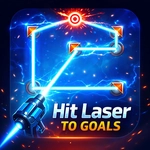
📝Hit Lazer To Goals Overview
Point the emitter, angle the mirrors, and watch the beam thread its way to every glowing goal.
💬What is Hit Lazer To Goals?
First time I fired the laser, it bounced off a wall and fizzled out a millisecond later. That's Hit Lazer To Goals for you—zero patience for sloppy aiming. You've got an emitter, a handful of mirrors, and a cluster of goals that need zapping. Click, drag, rotate. The beam follows your mouse like it's glued to the cursor, so every twitch matters. Some levels give you three mirrors and expect you to hit four goals; others hand you five mirrors for a single bulb. I spent ten minutes on one stage just nudging a mirror by two degrees, convinced the game was broken. It wasn't. The angle was off, and the beam went sailing into the void.
What makes it click is how the physics stay honest. Lasers don't bend—they reflect. If you point a mirror the wrong way, the beam scatters and you're back to square one. There's no timer breathing down your neck, which is a blessing because this thing punishes impatience harder than a sudoku. Yet it's weirdly calming once you lock in: moving the mouse in slow arcs, watching that red line carve a path through the dark, hearing the little *ding* when a goal lights up. That sound might as well be crack.
Controls couldn't be simpler—mouse only. Aim by moving, click to lock a mirror's angle, release to send the beam. You don't need to download a thing, just load it in a browser tab and you're solving laser puzzles during lunch. I'd say it's perfect for a five-minute brain break, but you'll look up and fifty minutes have vanished. Don't say I didn't warn you.
👥How to Play Hit Lazer To Goals
Use mouse to play.
✨Game Tips
Move the mouse in tiny increments when fine-tuning a mirror; the difference between a hit and a miss is often half a degree.
Plan the beam's full path before you start rotating mirrors—start from the goal and work backward to the emitter.
Don't overthink it: sometimes the simplest bounce off a wall is better than using every mirror in the level.
Listen for the goal's activation chime; it confirms the beam hit dead center, not just grazed the edge.
If the beam splits or fades, check that no mirror is overlapping another or blocking the line of sight.
Stuck? Reset the whole puzzle and approach it fresh; your first layout idea is rarely the right one.
🔧FAQ
Q: Is Hit Lazer To Goals free?
A: Yes, it's completely free to play in any browser; no payment or sign-up needed.
Q: Can I play Hit Lazer To Goals on mobile?
A: The game is designed for mouse, but some touch emulators work. It's best on desktop.
Q: Do I need to download anything to play?
A: No downloads or installs—just open the page and start playing instantly.
Q: What are the controls?
A: Move your mouse to aim the laser; click and drag to rotate mirrors or adjust the emitter.
Q: Is there a time limit in each level?
A: No time limit. You can take as long as you need to solve each puzzle.
Q: Can I restart a level if I get stuck?
A: Yes, use the reset button on the game screen (or refresh the page) to try again.