
HoneyDrop
Play Count0
Published2019-08-30
Supported DevicesPC + Mobile
CategoryArcade & Classic
Rating★★★★★5.0Rate this game
📝HoneyDrop Overview
Right-click to release a perfect golden drop—HoneyDrop turns precision into a sweet obsession.
💬What is HoneyDrop?
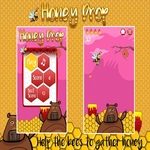
I'll admit it—I clicked past HoneyDrop expecting a throwaway browser toy. Big mistake. The entire game hangs on one mechanic: right-click to release a dollop of honey from your spout, then watch it plummet toward the waiting targets below. Sounds simple. It isn't. The drop has a tiny wobble as it falls, and the targets drift, spin, or shrink depending on the level. I spent a solid ten minutes just trying to land three perfect drops in a row on a moving toast slice. When I finally did, the little golden splat felt more satisfying than it should.
The real hook is the pressure. You can't just spam right-click—each level gives you a limited amount of honey, so every drop counts. Miss the target and you're left staring at an empty spout while the level timer laughs at you. Some stages add moving obstacles like flies or rotating honeycombs that deflect your stream. I found myself holding my breath before each release, the same way I do in a tight sniper shot. That tension between waiting too long and dropping too early is the whole game, and it works.
Don't come in expecting a story or fancy graphics. HoneyDrop is a one-idea arcade experience that respects your time—load, play, fail, retry. It runs in any browser tab and the right-click-only control makes it perfect for quick breaks. I won't pretend it's deep, but for that sticky, just-one-more-run feel, it digs in like honey on a spoon.
👥How to Play HoneyDrop
Right Click on Mouse!
✨Game Tips
Watch the drop's wobble for a beat before releasing; the center of the target is rarely where your cursor points.
Use the level's limited honey as a budget—plan two drops ahead instead of reacting to each target.
On moving targets, lead them slightly more than feels natural; the drop takes a moment to accelerate.
If a fly or obstacle is near the drop path, wait for it to pass rather than trying to thread the gap.
Some targets are more forgiving than they look—edge hits still count as sticky success, so aim for overlap not perfection.
Right-click and hold? No, a quick tap works best; holding can release an unwanted second drop.
🔧FAQ
Q: Is HoneyDrop free to play?
A: Yes, HoneyDrop is completely free in your browser with no hidden charges.
Q: Can I play HoneyDrop on my phone?
A: HoneyDrop is built for mouse input, so desktop or laptop works best. Mobile right-click isn't supported.
Q: Do I need to download HoneyDrop to play?
A: No download needed. It runs instantly in any modern web browser as an HTML5 game.
Q: Does HoneyDrop save my progress?
A: Your best level and score may reset when you close the tab, so it's best for single-session runs.
Q: Why do I only use the right mouse button?
A: The entire challenge is timing and aiming your right-click release; no other buttons are needed.
Q: Is HoneyDrop safe for school or work networks?
A: Since it's an unblocked browser game on this site, it's playable on most networks without installation.