
HTML5 Parking Car
Play Count0
Published2019-11-11
Supported DevicesPC + Mobile
CategoryDriving & Racing
Rating★★★★★5.0Rate this game
📝HTML5 Parking Car Overview
Think you can back a sedan into a gap the size of a shopping cart? This browser parking sim dares you to try.
💬What is HTML5 Parking Car?
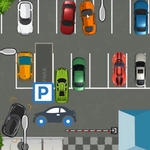
HTML5 Parking Car strips away all the fluff—no story, no upgrades, just you, a car, and a painted rectangle that's apparently supposed to be a parking space. You use arrow keys or WASD to creep forward, reverse, and turn. The camera sits behind and slightly above, so depth perception becomes your real enemy. I caught myself leaning toward the monitor on a tight reverse, like that would somehow help.
Each level adds new hazards: parked cars blocking your angle, concrete barriers, cones that seem to spawn right where you planned to swing wide. One early stage had me parallel parking between two trucks, and after three failed attempts I finally learned to cut the wheel late—too early and you'll kiss the rear bumper. There's a timer, but it's generous; the real pressure is your own patience.
It's not going to win awards for graphics, but the physics feel consistent—understeer exists, reverse is slower than forward, and hitting a wall doesn't end the run, just adds a penalty. I kept coming back to shave seconds off each level. If you just want to chill and practice your spatial awareness, it's a decent way to burn ten minutes. Just don't expect Forza.
👥How to Play HTML5 Parking Car
Use arrow keys or wasd to park your car.
✨Game Tips
Use reverse for tight spots instead of trying to swing in forward.
Cut the wheel late when parallel parking to avoid clipping the car behind.
Line up your side mirror with the space boundary before straightening out.
Take it slow—speed almost always results in a penalty.
If you hit a cone or wall, don't restart; adjust and continue.
🔧FAQ
Q: Is HTML5 Parking Car free?
A: Yes, it's completely free to play in your browser.
Q: Can I play HTML5 Parking Car on mobile?
A: The game works best with a keyboard, but touch controls may be available on some devices.
Q: Do I need to download anything?
A: No download needed—just open the game in any modern browser.
Q: What are the controls?
A: Use arrow keys or WASD to accelerate, reverse, and steer the car.
Q: Can I use a gamepad?
A: The game is designed for keyboard, but some browsers may support gamepad input.
Q: How many levels are there?
A: The game has multiple parking challenges that increase in difficulty.