
Huggy Wuggy in Minecraft
Play Count0
Published2023-05-15
Supported DevicesPC
CategoryAction & Fighting
Rating★★★★★5.0Rate this game
📝Huggy Wuggy in Minecraft Overview
Armed with a pickaxe and a blocky pistol, can you survive a Minecraft night where Huggy Wuggy hunts you through pixelated caves?
💬What is Huggy Wuggy in Minecraft?
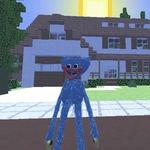
The mascot from Poppy Playtime has been dropped into a Minecraft-style voxel world, and it’s every bit as cursed as you’d expect. Instead of cheerful creepers, you get a lanky blue thing with too many teeth stalking you through blocky hallways. Something about that smile rendered in cubes makes it worse—like a childhood memory turned inside out.
Gameplay is dead simple: WASD to move, Space to jump, and your mouse handles attacking. Left click swings or shoots whatever you’re holding, and Tab pauses when you need to catch your breath. No crafting menus or build mechanics; just land hits while backpedaling from something that refuses to stop smiling. I turned one corner, heard that heavy thud-thud of oversized feet, and clicked blindly into the dark. Missed. The next frame was all red mouth and blocky teeth. The hitboxes are generous, but so are his grabs—you’ll learn to respect the range on those arms fast.
It’s not a long game, but it nails the cheap-thrill loop: die, respawn, memorize the patrol, survive a few seconds longer. Sound matters more than you’d think—crank your volume and you’ll hear him before you see him. If you’ve played Poppy Playtime or any Minecraft horror mod, you already know the vibe. Don’t expect deep systems or loot tables. Expect jump scares, frantic clicking, and the weird satisfaction of outlasting Huggy for one more run.
👥How to Play Huggy Wuggy in Minecraft
WASD - Move. Mouse - Attack. Space - Jump. TAB - Pause.
✨Game Tips
Keep your crosshair at head height; Huggy's hitbox is taller than it looks.
Turn up your volume—footstep sounds give away his position before he rounds the corner.
Backpedal constantly while clicking so you don’t get caught in his grab range.
Break line of sight around corners; his AI will pause to search and give you a second to breathe.
Tab pauses the action, but use it only to plan your next move—it won’t stop the chase forever.
If you spot a weapon pickup, swap immediately; bare hands are a last resort.
🔧FAQ
Q: Is Huggy Wuggy in Minecraft free?
A: Yes, it's completely free to play in your web browser with no payment or account required.
Q: Can I play Huggy Wuggy in Minecraft on mobile?
A: It runs on most mobile browsers, but the mouse controls work best on desktop with a physical mouse.
Q: Do I need to download anything to play?
A: No download needed. The game loads directly in your browser as an HTML5 title.
Q: What are the controls?
A: Use WASD to move, mouse to attack, Space to jump, and Tab to pause the game.
Q: Is Huggy Wuggy in Minecraft suitable for younger kids?
A: It contains jump scares and horror themes, so it's better for teens and older players.
Q: Can I play with friends?
A: This version is single-player only; you won't find multiplayer or co-op in the current build.