
Huggy Wuggy Pop It Jigsaw
Play Count0
Published2022-03-22
Supported DevicesPC + Mobile
CategoryPuzzle & Thinking
Rating★★★★★5.0Rate this game
📝Huggy Wuggy Pop It Jigsaw Overview
Piece together the toothy grin that haunted a thousand playtime screams — Huggy Wuggy returns as a jigsaw you can't ignore.
💬What is Huggy Wuggy Pop It Jigsaw?
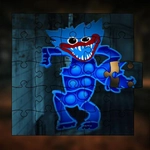
I'll admit, I didn't expect to enjoy a Huggy Wuggy puzzle this much. The setup is simple: you get a scrambled image of the blue-furred horror mascot, and you drag pieces into place until the full picture emerges. It's the same jigsaw logic you've played a hundred times, but the creepy face staring back at you adds an odd layer of tension. You start by sorting edge pieces, which always feels like the first small victory. Then you tackle the weird hair tufts and those too-wide eyes. The teeth are the worst — they all look identical until you line them up just right.
What kept me clicking was the moment a random piece suddenly snaps where it belongs. There's a subtle lock-in effect that feels satisfying, even when the image is something that would normally make me close the tab. The controls are just mouse drags, so it's easy to pick up during a break. If you're expecting jump scares, this isn't that kind of horror. It's more like a quiet, unsettling puzzle session. The artwork is clean and high-contrast, which helps when you're trying to match the red lips against the dark background.
One thing I noticed: I kept wishing for a piece count toggle. Some people love a 100-piece grind, others want a quick 24-piece solve. This game seems to lean toward simpler layouts, which is fine for a casual unwind. Just don't expect deep strategy — it's pure pattern recognition. If you need a low-stakes way to kill ten minutes without downloading anything, this fits. And yes, I did leave the tab open longer than I planned.
👥How to Play Huggy Wuggy Pop It Jigsaw
Use the mouse to play this game.
✨Game Tips
Sort all the edge pieces first; the four corners will anchor your whole board.
Focus on Huggy's blue fur patches before the dark background — they're easier to separate.
The teeth and red lips are the last place you should check; they often look interchangeable.
Keep the preview image visible in the corner so you can compare your progress at a glance.
If a piece won't fit, move on to another spot — forcing it wastes more time than it saves.
Use the empty space outside the board to group similar pieces by color as you work.
🔧FAQ
Q: Is Huggy Wuggy Pop It Jigsaw free to play?
A: Yes, it's completely free in your browser with no payment required.
Q: Can I play Huggy Wuggy Pop It Jigsaw on my phone?
A: It works in mobile browsers, though dragging pieces is easier with a mouse or touchscreen.
Q: Do I need to download or install anything?
A: No download needed. The game runs directly in your web browser as HTML5.
Q: Is Huggy Wuggy Pop It Jigsaw scary?
A: The images feature a creepy character, but there are no jump scares or gore.
Q: How many puzzle pieces are in each image?
A: The piece count varies by image and difficulty, but it stays within a casual range.
Q: Can I pause and resume my puzzle later?
A: Your progress may not save automatically, so try to finish a puzzle in one session.