
Humvee Offroad Sim
Play Count0
Published2021-01-18
Supported DevicesPC
CategoryArcade & Classic
Rating★★★★★5.0Rate this game
📝Humvee Offroad Sim Overview
Take the wheel of a rugged military Humvee and see if you can keep it rubber-side down on brutally uneven off-road trails without flipping.
💬What is Humvee Offroad Sim?
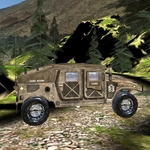
The moment you roll off the asphalt and hit the first stretch of loose gravel, you'll understand what this thing is really about. It's not a polished racing game—it's a physics sandbox where your only job is to keep a boxy military truck upright while the ground tries to pitch you sideways. The Humvee feels heavy in all the right ways: the suspension compresses over rocks, the body rolls on tight turns, and if you gun it over a crest, you'll catch air and come down hard. I found myself backing off the throttle way more than I expected, especially on downhill sections where the brakes don't feel quite as confident as you'd like.
Controls are dead simple—WASD to drive, nothing else to clutter the screen. That's the whole tutorial. But don't mistake that for easy. The camera sits behind the truck and sometimes struggles to show you what's coming, which is honestly part of the challenge. You'll learn to read the terrain by the way the front end dips and shudders. One wrong line through a rocky patch and you'll be sawing at the steering to recover. My favorite screw-up was misjudging a rut, catching the front left wheel, and doing a slow-motion barrel roll that ended with me driving on the roof for a solid three seconds before the game reset. Lovely.
There's no story, no upgrades, no checkpoint system that I could find—just you, a map full of uneven ground, and a truck that wants to flip. Some players might want more structure, but I kept loading it up for five-minute bursts. It's the kind of game where you set your own goals: reach that far hill without turtling, or slalom through the trees at 30 mph. If you're looking for a quick hit of off-road chaos, this scratches that itch without demanding much in return. Just respect the brakes, and maybe don't floor it straight down the rock face.
👥How to Play Humvee Offroad Sim
wasd - drive
✨Game Tips
Go easy on the throttle when cresting hills—lift off before the top so you don't launch nose-first into whatever's on the other side.
Use short counter-steering taps rather than holding the direction key; the Humvee's body roll takes a second to settle.
Downhill runs will cook your brakes mentally, so start slowing way earlier than feels natural and keep the nose pointed straight.
If one wheel catches and you start to tip, jam the opposite direction key and let off the gas—sometimes that's enough to save it.
The camera can hide rocks behind the front bumper; lean forward and watch how the suspension reacts to the ground ahead.
Don't get greedy with speed on flat-looking grass; there are often hidden ruts that'll snatch a wheel.
🔧FAQ
Q: Is Humvee Offroad Sim free?
A: Yes, it's a free browser game—no paywall, no locked trucks.
Q: Do I need to download anything?
A: Nope. It runs right in your browser on HTML5, so just click and play.
Q: Can I play Humvee Offroad Sim on mobile?
A: The game is designed for keyboard controls, so mobile support is limited. A PC browser works best.
Q: What are the controls?
A: WASD or arrow keys to drive. That's it—no handbrake, no gears, just throttle and steering.
Q: Why does my Humvee keep flipping over?
A: You're likely turning too hard at speed or hitting uneven ground at an angle. Slow down before turns and keep the wheels straight over rocks.
Q: Is there a way to reset the truck if I get stuck?
A: Usually the game auto-resets after a flip or long stuck period. If not, refresh the page for a clean start.