
Hungry Duck Rescue
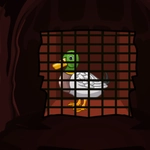
📝Hungry Duck Rescue Overview
Your duck is starving, your finger is twitchy, and the pond is running out of bread — how fast can you click to keep the quacking rescue alive?
💬What is Hungry Duck Rescue?
You know that weird satisfaction you get from mindlessly tapping a screen until numbers go up? Hungry Duck Rescue bottles it and slaps a frantic quack on top. Your job is dead simple: feed a duck that apparently hasn't eaten since the last ice age. Click the pond, toss food, watch the duck scarf it down while its hunger bar creeps back from the red. It's dumb, it's loud, and I couldn't stop for a solid twenty minutes.
The loop hooks you because there's always one more thing to buy. Start with a measly bread crumb, then upgrade to corn, then — if you're patient — a full-blown duck buffet. Each level of the duck's rescue meter unlocks new backgrounds, new food types, and these goofy little animations that make you feel like a hero for clicking a mouse. The 'aha' moment for me came when I realized mashing the clicker as fast as possible wasn't always the best move: timing your clicks to hit the floating bonus icons gives way more food per second. That's when I started playing like a sadistic zookeeper with a scoreboard.
If you're looking for depth, look elsewhere. But if you want a brain-off, ten-minute escape where the only goal is making a duck fatter than a Thanksgiving centerpiece, this one's a solid pick. It's the kind of game you open during a boring class, blink, and realize the duck has eaten 4,000 loaves of bread. And honestly? Respect.
👥How to Play Hungry Duck Rescue
Mouse Interact
✨Game Tips
Aim for the floating bread icons — they multiply your food count for a few seconds.
Don't just spam click; wait for the golden kernel to appear and hammer it for a quick hunger-bar boost.
Upgrade your food type before buying extra ducks — better food scales faster than more mouths.
Watch the hunger bar's red zone: if it empties, you lose your combo multiplier.
The rescue meter resets if you idle too long, so keep an eye on the timer when you step away.
🔧FAQ
Q: Is Hungry Duck Rescue free to play?
A: Yes, it's completely free to play in your browser. No hidden paywalls or premium-only features.
Q: Do I need to download anything to play Hungry Duck Rescue?
A: No download required. It runs on HTML5, so it loads directly in any modern web browser.
Q: Can I play Hungry Duck Rescue on my phone?
A: Yes, the game supports touch controls. Just tap the screen to feed the duck on mobile devices.
Q: What do I do if the duck's hunger bar hits zero?
A: The rescue fails and you'll need to restart the round. Keep the bar above the red zone by feeding constantly.
Q: How do upgrades work in Hungry Duck Rescue?
A: Use the food you collect to buy better food types, faster feeding speed, and automatic helpers from the upgrade panel.
Q: Does Hungry Duck Rescue save my progress?
A: Your browser saves your progress automatically, but clearing cookies will reset your duck to square one.