
Inkway
Play Count0
Published2026-08-14
Supported DevicesPC + Mobile
CategoryAction & Fighting
Rating★★★★★5.0Rate this game
📝Inkway Overview
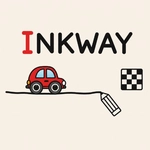
Draw a line from start to finish and watch your car roll, bounce, and sometimes crash before you nail the perfect route.
💬What is Inkway?
You get a blank canvas with a start dot and a finish flag. Your job is to draw a continuous line between them, and a little car spawns and drives along it. Sounds simple, but the car has momentum, the line can be bumpy, and the road you draw isn't always smooth. I've spent ten minutes redrawing the same section because my curve was too sharp and the car flipped off.
Inkway keeps things fresh by throwing in moving obstacles, gaps, and sometimes multiple cars that need to reach separate exits. You can't just scribble; you need to account for speed and angle. The line you draw is ink, and ink runs out if you're too generous, so there's a resource management angle too. That tension between drawing enough road and not wasting your ink is what kept me coming back.
It's a neat twist on the drawing-physics genre, and the minimal art style means you focus entirely on the path. I'd recommend it if you like games like Draw Car or Line Rider, but with a tighter, more puzzle-like feel. The controls are dead simple on touchscreens, but a mouse works just as well. Just don't blame me if you lose an hour trying to beat level 12.
👥How to Play Inkway
Draw a Line: Draw a road from the starting point to the finish line and guide the car safely to the destination.
✨Game Tips
Draw smooth curves instead of sharp corners—cars hate sudden turns and will launch themselves off the line.
Use short, controlled strokes if you're on mobile; long swipes tend to overshoot and waste ink.
Watch the car's first run before redrawing: often the failure point is just one small kink, not the whole path.
Spend ink wisely near moving obstacles, leaving a bit of buffer space so the car doesn't clip them.
If multiple cars are involved, give each one its own lane width, even if they share a section.
Don't forget you can redraw the line completely between attempts—it's better to start fresh than patch a messy road.
🔧FAQ
Q: Is Inkway free to play?
A: Yes, Inkway is completely free in your browser with no hidden paywalls or subscriptions.
Q: Can I play Inkway on my phone?
A: Absolutely. The drawing controls work great on touch screens, and the game runs in any modern mobile browser.
Q: Do I need to download anything to play Inkway?
A: No download or install is needed. Just open the game page and start drawing your first line.
Q: What are the best controls for Inkway on PC?
A: Use your mouse to click and drag the line from start to finish. Release to let the car start driving.
Q: Why does my car keep falling off the line?
A: Your line is probably too steep or has sharp corners. Try drawing a smoother, more gradual path.
Q: Is Inkway suitable for kids?
A: Yes, it's a family-friendly puzzle game with no violence or scary content, suitable for all ages.