
Isometric Puzzle 3D
Play Count0
Published2021-05-24
Supported DevicesPC
CategoryArcade & Classic
Rating★★★★★5.0Rate this game
📝Isometric Puzzle 3D Overview
Rotate, slide, and snap blocks into place in a mind-bending 3D isometric puzzle that looks simple until you're stuck on level 20.
💬What is Isometric Puzzle 3D?
I nearly rage-quit on level 17. The block looked like it should fit, but every rotation left one corner sticking out, and the hint button just smirked at me. That's Isometric Puzzle 3D in a nutshell: a deceptively calm puzzle game that quietly ramps up the spatial reasoning until your brain starts doing backflips.
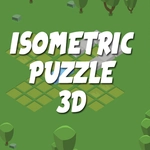
You get a flat isometric grid and a chunky 3D shape made of cubes. Your job is to rotate, flip, and slide it until it matches the shaded outline perfectly. Sounds easy? The first five levels lull you into a false sense of security — then the game introduces mirrored pieces, tricky overhangs, and outlines that require rotating the whole view, not just the block. I spent ten minutes convinced one puzzle was bugged before realizing I could drag the camera sideways and see a hidden ledge. That's the kind of forehead-slapping moment this game thrives on.
Controls are simple: mouse to click and drag the block, arrow keys to spin it. The isometric perspective means depth can be deceiving, so you'll often think a cube is in the right spot when it's actually floating one layer above. Shadows help, and the undo button becomes your best friend. It's not a long game, but for a free browser puzzler, it's surprisingly polished and satisfying. If you like spatial logic and don't mind admitting you were wrong about a block's shape, give it a shot.
👥How to Play Isometric Puzzle 3D
Arrows,Mouse,Click
✨Game Tips
Try rotating the whole view before you touch a block — sometimes the answer is just a different camera angle.
Don't rush to slide pieces into the outline; study the silhouette first and count the protruding cubes.
Use the arrow keys for fine rotation, but remember you can also click and drag for bigger swings.
If you're stuck, reset the level and build from the corner that's already half-solved.
The undo button is your friend; spamming it teaches you the block's shape faster than guessing.
🔧FAQ
Q: Is Isometric Puzzle 3D free to play?
A: Yes, it's completely free in your browser. No hidden paywalls or subscriptions.
Q: Can I play Isometric Puzzle 3D on mobile?
A: It works on most mobile browsers, but desktop with a mouse gives you more precision for rotating blocks.
Q: Do I need to download Isometric Puzzle 3D?
A: No download needed. It runs instantly as an HTML5 game in any modern web browser.
Q: What are the controls for Isometric Puzzle 3D?
A: Use your mouse to click and drag blocks, and arrow keys to rotate them. Some versions also let you rotate the whole view.
Q: Is Isometric Puzzle 3D good for kids?
A: Yes, it's a non-violent brain teaser. Younger kids might find later levels tough, but there's no inappropriate content.
Q: How many levels does Isometric Puzzle 3D have?
A: The browser version typically includes dozens of levels, with difficulty that ramps up as you go.