
Jelly merge 3D
Play Count0
Published2024-04-22
Supported DevicesPC + Mobile
CategoryArcade & Classic
Rating★★★★★5.0Rate this game
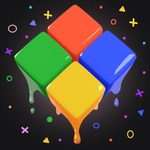
📝Jelly merge 3D Overview
Slide those wobbly jelly cubes into matching clusters and watch them pop into bigger, bouncier blocks.
💬What is Jelly merge 3D?
Jelly Merge 3D throws you onto a grid full of squishy numbered cubes. Swipe or tap a direction, and every cube slides until it hits a wall or another cube. When two cubes with the same number bump, they fuse into one higher-numbered cube with a satisfying little squish. That's the entire loop, and it's dangerously hard to put down. I kept catching myself planning two moves ahead, only to have a stray cube wreck the whole board layout—that's where the addiction kicks in.
What makes it stick is the tactile feel. The cubes aren't rigid blocks; they jiggle and deform slightly when they collide, which makes every merge feel more physical than a standard number puzzle. On desktop, WASD or arrow keys give you snappy control, while on mobile the swipe gestures feel natural. The difficulty ramps up slowly: early boards let you experiment, but soon you'll have high-number cubes hogging corners and forcing careful positioning.
If you've played 2048 or any merge game, you'll recognize the strategy—but the 3D perspective and jelly physics make it feel fresh. Don't expect flashy power-ups or timers; this is pure, focused puzzle merging. Keep an eye on the board edges, because one bad slide can lock your biggest cubes in awkward spots. It's simple to pick up, but mastering the spacing takes real concentration.
👥How to Play Jelly merge 3D
Use the swipe, WASD, or the arrow keys to control the cubes
✨Game Tips
Keep your biggest cube in a corner so smaller merges don't force it to move.
Slide toward the corner where your highest number sits, never away from it.
After each move, pause and scan for new pairs before sliding again.
Use WASD or arrow keys on desktop—they're faster than swiping a trackpad.
Merge the smallest cubes first to free up space for later big moves.
When two large cubes are about to collide, check you're not blocking a higher merge elsewhere.
🔧FAQ
Q: Is Jelly merge 3D free?
A: Yes, it's completely free to play in your browser with no hidden payments.
Q: Can I play Jelly merge 3D on mobile?
A: Yes, the swipe controls work great on touchscreens, and the game runs in any mobile browser.
Q: Do I need to download anything to play?
A: No downloads needed. Just open the game page and start sliding cubes immediately.
Q: What are the controls for Jelly merge 3D?
A: Use swipe gestures on mobile, or WASD and arrow keys on desktop to slide all cubes in one direction.
Q: Is Jelly merge 3D unblocked at school?
A: Since it runs on HTML5 in a browser, many school networks allow it, but filters vary by district.
Q: How do I restart a run in Jelly merge 3D?
A: Refresh the page to start a new board, or use the in-game restart button if available.