
Jewel Blocks
Play Count0
Published2019-11-29
Supported DevicesPC + Mobile
CategoryArcade & Classic
Rating★★★★★5.0Rate this game
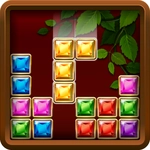
📝Jewel Blocks Overview
Slide glimmering gem blocks onto the grid and clear full rows before they pile up—your undo meter recharges after every ten moves.
💬What is Jewel Blocks?
I fired up Jewel Blocks thinking it'd be a quick five-minute distraction. Half an hour later I was still hunched over the grid, muttering at a 3x3 gem block that refused to fit anywhere. You get a blank board and a queue of shiny shapes—L's, T's, squares, long lines—and you drag each one onto the grid. Fill a full row or column and it bursts, clearing space with a satisfying glassy pop. The real hook is that after ten successful placements, your undo meter charges up. That one free rewind turned some of my most boneheaded drops into clutch saves, especially when I misjudged a gap by one square.
The game doesn't punish you with timers or move limits, so you can actually plan ahead. But don't get too cozy: the shapes keep coming, and empty space vanishes faster than you'd think. I learned to keep at least one corner open for the big 3x3 square, and to fight the urge to place pieces just because they fit. Sometimes leaving a weird gap beats forcing a tidy cluster that blocks future moves. What surprised me most is how quickly the board turns from spacious to cramped—one bad streak and you're praying for that undo to recharge. The jewel theme isn't just cosmetic; the blocks look like cut gems, and each clear feels like a tiny jackpot. If you're into puzzle games that reward patience over speed, Jewel Blocks will eat your afternoon. Just don't say I didn't warn you.
👥How to Play Jewel Blocks
Slide the block shapes into the grid and create rows or columns to remove them.
After 10 successful moves, your undo feature charges up.
✨Game Tips
Hold the big 3x3 square for an open corner—it'll save you later.
Count to ten before you waste the undo; it only recharges after ten clean placements.
Clear two rows at once for extra points, but don't chase it if it forces a bad drop.
Leave a one-block gap on purpose if the next piece fits there perfectly.
Drag pieces around the board before placing to preview how they'll land.
🔧FAQ
Q: Is Jewel Blocks free to play?
A: Yes, it's completely free to play online with no downloads or hidden fees.
Q: Can I play Jewel Blocks on my phone?
A: Yes, it works in mobile browsers and supports touch controls for dragging blocks.
Q: Do I need to install anything to play Jewel Blocks?
A: No, it runs directly in your browser as an HTML5 game. Just open the page and play.
Q: What does the undo feature do in Jewel Blocks?
A: After ten successful placements, your undo meter fills up, letting you revert one move.
Q: Are there any time limits or move limits in Jewel Blocks?
A: No, you can take as long as you want. The only pressure is the board filling up.
Q: Can I play Jewel Blocks offline?
A: You'll need an internet connection to load the game, but once loaded it may stay playable.