
Jewels Mine
Play Count0
Published2020-11-19
Supported DevicesPC
CategoryPuzzle & Thinking
Rating★★★★★5.0Rate this game
📝Jewels Mine Overview
Swap glittering gems across the board, chain together massive combos, and watch every match send shockwaves through the mine.
💬What is Jewels Mine?
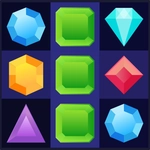
I opened Jewels Mine expecting another sleepy match-3, and three hours later my cursor was still hovering over the board. The core loop is classic: click or tap two adjacent jewels to swap them, and when three or more line up they vanish with a satisfying pop. But the real hook is how the mine keeps throwing new patterns at you. You'll spot a four-match on the right, go for it, and suddenly an entire column cascades into a five-piece special that nukes half the screen. It feels less like planning and more like surfing a collapse.
That momentum matters because the board doesn't care about your plans. Layered under the simple swapping is a light pressure to keep your score climbing before the mine runs dry. I'll be honest — I mostly ignored the score and just chased the rarest combinations. Matching four in a row spawns a striped jewel that clears a whole row or column; matching five makes a rainbow gem that obliterates every jewel of one color. Get both next to each other and the resulting blast can turn a nearly empty board into a fireworks show. You can play with a mouse on desktop or just your thumb on a phone, and the hitboxes are generous enough that you won't misclick when the heat is on.
For an unblocked title, it's surprisingly polished. There's no timer whipping you forward, so you can sit back and puzzle over a board like a lazy Sunday. That said, don't get too comfortable — one bad swap can leave you with no moves, and then you're watching the screen reshuffle and praying it lands in your favor. If you like Bejeweled but want something that feels a little more like a gem heist, this one scratches that itch without pretending to reinvent the genre.
👥How to Play Jewels Mine
"Mouse" on PC, "Touch" on Smartphone and Tablet
✨Game Tips
- Go for four- and five-piece matches early; the special gems they drop are worth more than a dozen small clears.
- Before you swap, check if the move sets off a cascade — a diamond match often triggers second and third pops.
- On touchscreens, use quick swipes instead of tapping each jewel twice; it's faster and feels more natural.
- If the board runs out of moves, let the auto-reshuffle do its work before you panic-spend hints.
- Focus on clearing gems near the bottom of the mine, since falling stones can create surprise combos.
- Save rainbow gems until you can pair them with a striped one for a massive chain reaction.
🔧FAQ
Q: Is Jewels Mine free to play?
A: Yes, it's completely free in your browser with no paywall or subscription.
Q: Can I play Jewels Mine on my phone?
A: Yes, the touch controls work on smartphones and tablets.
Q: Do I need to download or install anything?
A: No, it runs right in your browser as an HTML5 game.
Q: Does Jewels Mine need an internet connection?
A: Yes, you'll need a web connection to load the game initially.
Q: What if I run out of moves?
A: The board automatically reshuffles to create new matching opportunities.
Q: Are there in-game purchases?
A: No, this unblocked version has no microtransactions or ads blocking play.