
JigzoQuest
Play Count0
Published2026-07-10
Supported DevicesPC
CategoryPuzzle & Thinking
Rating★★★★★5.0Rate this game
📝JigzoQuest Overview
Click, drag, and drop scattered tiles into their exact spots to complete one stunning image after another.
💬What is JigzoQuest?
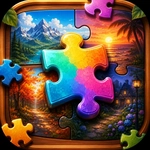
You know that itch you get when a puzzle piece is one slot off and the whole image looks wrong? That's the core of JigzoQuest, a hypercasual jigsaw game that keeps you tapping until every block clicks into place. The board starts as a scattered pile of square or oddly shaped tiles, sometimes rotated, sometimes just shuffled. Your job is to drag them into a grid, and when you drop a piece in the correct spot it snaps with a tight little thud. No complex rules, no hidden mechanics — just you, a reference image in the corner, and a mess of colorful fragments.
I'll admit I rolled my eyes at first because it sounded like a basic matching game. Then I spent twenty minutes on a sunset landscape where every tile looked the same shade of peach. The moment that made me stick around: I stopped trying to force pieces by color and instead looked at the tiny notch patterns on the edges. A piece with two flat sides belonged in a corner even though its color matched a center area. Small detail, but it completely changed my solve speed. The game rewards that kind of careful observation more than fast clicking, which I appreciated after burning through hypercasual reflex games.
If you need a mental cooldown between classes or meetings, JigzoQuest works. Rounds are short enough to quit anytime, but the pull of finishing the last few blocks is real. There's no penalty for wrong drops (at least in the version I played), so you can experiment freely. Just keep an eye on the preview thumbnail — it's your best friend when the image starts looking like abstract art.
👥How to Play JigzoQuest
Arrange the puzzle image blocks properly :)
✨Game Tips
Corner pieces first: they anchor the whole frame and cut down the search area.
Match edge patterns, not just colors — two similar blue tiles often fit differently.
Use the thumbnail preview like a mini-map; it saves time on complex images.
If a piece doesn't snap after two tries, move on and come back to it later.
Rotate pieces in your head before dragging to avoid misdrops on rotated boards.
🔧FAQ
Q: Is JigzoQuest really free to play?
A: Yes, it's completely free in your browser. No paywalls or hidden subscriptions.
Q: Can I play JigzoQuest on my phone?
A: Absolutely. It uses HTML5 so it runs smoothly on Android and iOS browsers.
Q: Do I need to download or install anything?
A: No downloads needed. Just open the game page and start arranging pieces immediately.
Q: Is JigzoQuest good for kids?
A: Yes, it's a safe puzzle game with no violence or ads-storm. Great for improving spatial skills.
Q: Does JigzoQuest need an internet connection?
A: Since it's an online unblocked game, you'll need internet to load it.
Q: How do I restart a level if I get stuck?
A: Just refresh the page or use the restart button if available; there's no score to lose.