
John is a lifeguard
Play Count0
Published2025-04-07
Supported DevicesPC
CategoryAction & Fighting
Rating★★★★★5.0Rate this game
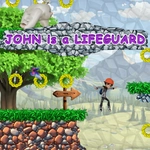
📝John is a lifeguard Overview
You've never panicked this hard about a drowning tourist until you're John, sprinting through sand with a rescue buoy while the tide drags another swimmer out.
💬What is John is a lifeguard?
John is a lifeguard puts you in flip-flops that are useless for running. The beach is chaos—swimmers flail, kids drift too far on inflatables, and a suspicious red flag keeps popping up. You control John with WASD, click to toss your buoy at whoever's closest to drowning, and hold Shift when you absolutely need to close distance before the wave pulls them under. It sounds simple, and at first it is. Then three people need help at once and you realize the buoy only works if you aim it right, not just frantically click.
The real tension comes from the timer and the stamina. Shift gives you a burst, but burn it too early and you'll be jogging while a guy in a shark floatie gets yanked out to sea. I lost a run because I sprinted to the left side, only to hear the "help" marker pop up back right—classic lifeguard mistake. The click-to-throw has a small cooldown, so you can't spam rescues. You need to read the beach, prioritize the closest or weakest swimmers, and sometimes let a strong swimmer tread water an extra second while you haul a kid in. The retro beach visuals and synth-y music keep it light, but the "drowning" meter will spike if you hesitate.
What I liked: the game respects that lifeguarding is about scanning, not just reaction speed. After a few runs, I started noticing patterns—swimmers near the pier drift faster, the red flag means riptide, and the guy with the green inner tube always thinks he's fine until he isn't. It's short, but that's the point. You'll restart immediately after a failed save because the "one more try" pull is strong. Not a relaxing beach sim; more like a frantic rescue dispatch. If you want a quick action snack with real decision-making, this is a solid 10 minutes that turns into 40.
👥How to Play John is a lifeguard
Mouse click and keys a, w, d, shift
✨Game Tips
Don't hold Shift from the start; save the sprint for when someone's head actually dips under.
Aim your click at the swimmer's center mass, not the splash—buoys have travel time.
Check the red flag before rushing to the farthest swimmer; sometimes the closest one is in more danger.
Use short bursts of movement instead of constant running to keep stamina topped up.
If two swimmers need help, throw to the weaker one first—the strong one can float a bit longer.
Restart early if you waste a buoy on a strong swimmer; the cooldown will cost you.
🔧FAQ
Q: Is John is a lifeguard free?
A: Yes, it's completely free to play in your browser.
Q: Can I play John is a lifeguard on mobile?
A: It works on mobile, but WASD controls are better with a keyboard.
Q: Do I need to download anything?
A: No download needed—just open the page and start playing.
Q: What are the controls?
A: Move with A, W, D; click to throw the buoy; hold Shift to sprint.
Q: How long is one game?
A: A full run usually lasts 3 to 5 minutes before you restart.
Q: Is John is a lifeguard unblocked at school?
A: Yes, this unblocked version runs directly in the browser without restrictions.