
Joystick Jigsaw
Play Count0
Published2021-07-23
Supported DevicesPC
CategoryPuzzle & Thinking
Rating★★★★★5.0Rate this game
📝Joystick Jigsaw Overview
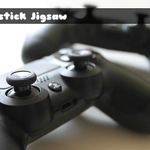
Scattered across your screen are a dozen oddly shaped fragments of a retro controller—can you click them back into one crisp picture?
💬What is Joystick Jigsaw?
Joystick Jigsaw takes the classic tabletop pastime and shoves it into a browser tab. You get a pile of scrambled pieces, a blank board, and one job: drag each fragment until it clicks home. No timers breathing down your neck, no score counter judging your every move—just quiet, tactile puzzling. I usually start with the edges, but one time I spotted a tiny red button from the controller art and built the whole middle outward just to see if I could. It worked, mostly.
The drag-and-drop controls are exactly what you'd expect, and that's a compliment. Pieces follow your cursor with zero lag, and when two edges match, there's a subtle snap that feels ridiculously satisfying. The images lean into gaming nostalgia—think retro handhelds, arcade sticks, chunky plastic buttons. It's simple, but the variety keeps you from getting bored. You can rotate pieces mentally, though the game doesn't make you spin them manually, which is a mercy if you're like me and lose patience with rotation puzzles.
What I like most is how low-stakes it stays. No lives, no ads screaming at you between sections, just a clean board and a pile of possibilities. It's the kind of game you leave open in a second tab and poke at between homework problems or while waiting for a queue to pop. Not every unblocked game needs to spike your adrenaline; sometimes you want the opposite, and Joystick Jigsaw nails that vibe without feeling like busywork.
👥How to Play Joystick Jigsaw
Mouse Drag And Drop
✨Game Tips
Start with corner pieces; they're the only ones with two straight edges and narrow the chaos fast.
Sort by color or pattern before placing anything—grouping the red buttons and dark plastic saves tons of scanning.
Use the edge pieces to build a frame first; it gives you a reference for where everything else belongs.
Drag pieces to the rough area they seem to fit and let the snap do the final correction instead of aiming pixel-perfect.
If you're stuck on a section, work on a different cluster; your brain will solve the old one in the background.
Zoom out (if the game allows) to see the full image on the box preview, then match pieces by background shade.
🔧FAQ
Q: Is Joystick Jigsaw free to play?
A: Yes, it's completely free in your browser. No paywalls or locked puzzles.
Q: Do I need to download or install anything?
A: No downloads. It runs right in your web browser as an HTML5 game.
Q: Can I play Joystick Jigsaw on mobile?
A: Yes, drag and drop works on touchscreens. Just tap a piece and slide it.
Q: How do I restart a puzzle if I mess up?
A: Most jigsaw games let you shuffle or reset from the menu. Check for a restart button or refresh the page.
Q: Are there different images or difficulty levels?
A: The game offers multiple controller-themed images. Piece counts may vary by puzzle.
Q: Does Joystick Jigsaw have a timer or score?
A: No, it's a relaxed puzzle with no timer or scoring pressure. Play at your own speed.