
Jumbled Puzzle
Play Count0
Published2021-03-12
Supported DevicesPC
CategoryPuzzle & Thinking
Rating★★★★★5.0Rate this game
📝Jumbled Puzzle Overview
Unscramble the mess, find the hidden order, and fight the clock in a brain teaser that rewards speed and sharp eyes.
💬What is Jumbled Puzzle?
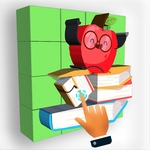
You know that moment when a word is so scrambled you can't even tell if it's English? That's where Jumbled Puzzle starts. The screen floods with letters or picture fragments tossed into chaos, and your mouse is the only tool you've got. I kept expecting a friendly tutorial, but nope—it drops you right in with a ticking timer and a mess that needs sorting. The first time I cleared a six-letter word with two seconds left, my heart skipped. It sounds silly, but that pressure turns a simple mechanic into something you'll replay just to beat your own time.
What surprised me is how quickly my brain adapted. At first I was clicking around randomly, but soon I started spotting patterns: common endings like -ing or -tion popping out from the pile. The game doesn't spoon-feed hints either—there's a subtle scoring system that rewards clean solves without extra clicks. If you fumble, you lose time, and that's where the real tension lives. It's not about brute force; it's about training your eye to see structure in noise.
I've played plenty of hypercasual puzzle games that feel like the same loop with different skins. Jumbled Puzzle sticks because the difficulty curve feels alive. One round is a gentle warm-up, the next is a frantic scramble that makes you question your vocabulary. It runs in a browser tab without fuss, which means I've definitely sneaked in a round during a slow work call. If you like word games or just want to sharpen your reflexes, give it three minutes—you'll understand.
👥How to Play Jumbled Puzzle
Use mouse to play the game.
✨Game Tips
Work from the outside in: securing the first and last letters often reveals the word's shape.
Ignore the timer initially; focus on accuracy, then speed up once your eye adjusts.
Click and hold to drag letters instead of clicking each one individually—it saves precious milliseconds.
If a letter feels wrong, don't force it; set it aside and circle back later.
Watch for common vowel pairs like EA or OU when the middle looks messy.
Use the restart button without shame if the layout feels impossible—a fresh scramble changes everything.
🔧FAQ
Q: Is Jumbled Puzzle free to play?
A: Yes, it's completely free with no paywall or premium features in the browser version.
Q: Can I play Jumbled Puzzle on mobile?
A: Yes, the game works on touchscreen devices, though mouse drag is smoother on desktop.
Q: Do I need to download anything to play Jumbled Puzzle?
A: No downloads needed—just open the page in any modern browser and start playing.
Q: What are the controls for Jumbled Puzzle?
A: Use your mouse to click, drag, and drop letters or fragments into the correct order.
Q: Does Jumbled Puzzle have different difficulty levels?
A: The game usually ramps up automatically with longer words or more fragments as you progress.
Q: Can I pause Jumbled Puzzle mid-round?
A: Most browser versions let you pause by clicking outside the game area, but the timer may still run.