
K Pop Hunter Halloween Fashion
Play Count0
Published2025-10-29
Supported DevicesPC + Mobile
CategoryFun & Crazy
Rating★★★★★5.0Rate this game
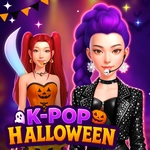
📝K Pop Hunter Halloween Fashion Overview
Transform a trendy K-pop hunter into a Halloween showstopper with just a few clicks — no fashion sense required.
💬What is K Pop Hunter Halloween Fashion?
Okay, so picture this: you've got a blank-faced K-pop idol, and a wardrobe full of Halloween chaos. That's K Pop Hunter Halloween Fashion. You click through tops, bottoms, accessories, and the whole time you're trying to figure out if a vampire cape goes with neon sneakers. Spoiler: it does, and it's hilarious. The game doesn't overcomplicate anything — one mouse button, a few tabs of clothing, and you're done in five minutes. But I kept going back to see what other cursed combinations the game would let me get away with.
The Halloween angle is the real hook here. Most dress-up games stick to generic glam, but this one throws in pumpkin masks, witch hats, and enough black eyeliner to sink a ship. It's less about looking pretty and more about looking like you just walked out of a K-pop horror movie. The items are surprisingly varied for a simple clicker, and the character's reaction doesn't change, which is part of the charm — you can put him in a full skeleton onesie with bunny ears and he'll just stand there, deadpan.
Now, it's not deep. There's no scoring, no unlockables, no hidden levels. If you're expecting a full fashion simulation, you'll be disappointed. But as a quick brain-off break, it works. I spent way too long mixing a cowboy hat with a vampire cape and then got unreasonably proud of the result. That's the whole game, really — a tiny sandbox for bad fashion decisions with a Halloween twist.
👥How to Play K Pop Hunter Halloween Fashion
Left Mouse Button Click
✨Game Tips
Click the tabs at the top to switch between shirts, pants, hats, and accessories — the layout isn't obvious at first.
Try mixing pieces from different Halloween sets; the game rewards weird combos more than matching outfits.
Keep an eye on the color palette at the bottom; some items only show up after you click the right category.
Don't spend too long looking for an undo button — there isn't one, you just click a new item to replace the old.
Save your favorite look by screenshotting it, because the game won't remember it after you refresh.
The left mouse button does everything, so use a trackpad with care if clicks are finicky.
🔧FAQ
Q: Is K Pop Hunter Halloween Fashion free to play?
A: Yes, the game is completely free to play in your browser with no in-game purchases or paywalls.
Q: Do I need to download or install anything?
A: No download is needed. Just open the game in a modern web browser and it runs instantly as HTML5.
Q: Can I play K Pop Hunter Halloween Fashion on my phone?
A: Yes, the game supports touch controls, so you can tap the screen on mobile devices instead of clicking.
Q: What are the controls?
A: Left mouse button click to select clothing and accessories. Everything is clickable, no keyboard needed.
Q: Does the game save my outfits?
A: No, there's no save or undo feature. Your look resets if you refresh the page.
Q: Is this game suitable for kids?
A: It's a lighthearted dress-up game with mild Halloween themes, so it's family-friendly.