
Kenworth Trucks Differences
Play Count0
Published2020-03-12
Supported DevicesPC + Mobile
CategoryPuzzle & Thinking
Rating★★★★★5.0Rate this game
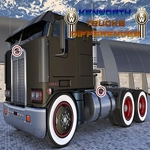
📝Kenworth Trucks Differences Overview
Two nearly identical Kenworth trucks sit side by side—how fast can you click every hidden difference and prove your eye for detail?
💬What is Kenworth Trucks Differences?
I've played a pile of spot-the-difference games, but Kenworth Trucks Differences actually made me lean forward. You get two side-by-side photos of serious heavy-duty rigs—chrome grilles, long hoods, fifth wheels, the works—and they look identical at first glance. Then you start noticing things. A bolt missing from the front bumper. A turn signal that's amber instead of clear. A tiny brand decal that's flipped the wrong way. Each level gives you a set of images, and you click the spot where the two pictures don't match.
The real kicker is how smug you feel after clearing the first couple of rounds, only to get stuck on a difference hiding in a shadow or behind a windshield reflection. I spent a solid minute on one level hunting for a difference in the sleeper cab, convinced the game was broken, until I finally spotted a missing rivet near the passenger door. That's the moment you either love it or you don't. There's no fancy gimmick—just your eyes against the artist's trickery. If you're not paying attention to every nut and bolt, you'll burn through your hints (if the version has them) or rack up a miss counter.
Kenworth Trucks Differences won't change your life, but it's a solid brain-stretcher for a coffee break. The truck theme gives it some personality beyond random objects, and the images are clean enough that you're never fighting low-res pixel soup. I'd recommend it for anyone who likes visual puzzles or just wants to prove they can spot a misplaced exhaust stack at twenty paces. Just don't blame me when you start seeing differences in real trucks on the highway.
👥How to Play Kenworth Trucks Differences
Use mouse to click on difference in image.
✨Game Tips
Start by scanning the overall silhouette before zooming into tiny details; the biggest differences are often in shapes, not colors.
Work left to right, top to bottom so you don't skip a zone when the clock is ticking.
Click near the expected spot rather than pixel-perfect; the hitbox is usually generous.
If you're stuck, look at repeating patterns like lug nuts, rivets, and window reflections—those are prime hiding spots.
Don't spam clicks; some versions count misclicks as penalties, so verify the mismatch before committing.
Switch your focus between the two images quickly to catch subtle color or lighting shifts.
🔧FAQ
Q: Is Kenworth Trucks Differences free to play?
A: Yes, it runs free in any modern browser without charges.
Q: Can I play on my phone or tablet?
A: Yes, it works on mobile browsers with touch controls.
Q: Do I need to download anything?
A: No download needed; it's an HTML5 game that loads instantly.
Q: How many levels are there?
A: The level count varies by version, but there are multiple truck images to clear.
Q: Does the game have a timer or hints?
A: Some versions include a timer or limited hints; check the in-game UI.
Q: What do I do if I can't find a difference?
A: Take a break, then scan methodically—often a missing bolt or reflection change.